> ## Documentation Index
> Fetch the complete documentation index at: https://docs.narrative.io/llms.txt
> Use this file to discover all available pages before exploring further.
# Release Notes
> Product updates and announcements
## Snapchat Connector
Deliver audiences from Narrative to **Snapchat Ads Manager** as Custom Audiences for campaign targeting. The Snapchat Connector is now available everywhere other ad-platform connectors are — install it from **Installed Apps**, then choose Snapchat when you finalize an audience in [Audience Studio](/guides/audience-studio/building-an-audience) or set up a connection from a dataset's details page, alongside Meta, TikTok, Pinterest, and The Trade Desk.
Create a profile for each Snapchat Business organization, complete Snapchat's OAuth flow, and Narrative discovers the ad accounts available under that organization — refresh or archive profiles as they change.
Any dataset with at least one supported identifier is eligible: email (raw or SHA-256 hashed), phone number (raw or SHA-256 hashed), a mobile advertising ID (Apple IDFA or Android Advertising ID), or Narrative ID.
See the [Snapchat Connector reference](/reference/connectors/snapchat) to get started.
## Classifiers tab in My Models
**My Models** now has a **Classifiers** tab that lists the trained classifiers in your selected data plane alongside the existing **LLMs** tab. Each row rolls up a classifier's training runs into a single entry so you can see its current status, accuracy and macro-F1 metrics, number of classes, run count, and last-trained timestamp at a glance.
Filter by status (Succeeded, In progress, Failed), sort by name, status, runs, or trained time, and search by name or job ID. In-flight runs and completed runs that reported a training error are surfaced as **In progress** and **Failed** respectively, so you can spot broken jobs without opening the Jobs page. Switching data planes automatically re-scopes the list.
See the [Classifier Studio reference](/reference/ui/classifier-studio) for how the listing fits into the training workflow.
## `exclusion` collaborator permission for compute pools, data planes, and attributes
The collaborator model gains a fourth variant — **`exclusion`** — that grants access to *everyone except* a named set of companies. Compute pool collaborators previously supported only `all`, `none`, and `inclusion`; they now match the rest of the platform. Data planes and attributes, which already advertised exclusion in their schemas, now enforce it end-to-end.
```json theme={null}
{
"use": {
"type": "exclusion",
"company_ids": [123, 456]
}
}
```
The new variant is accepted on `POST`/`PATCH` for compute pools (`use`), data planes (`participants` and `manage_compute_pools`), and attributes, and is enforced by the visibility queries behind every read path. For attributes, an `exclusion` grant is treated as similarly broad to `all` and is restricted to the Narrative company; anonymous callers are never granted access via exclusion.
## Clearer failures from `POST /mcp-connections`, with an open-tools hint
Failed attempts to connect an external MCP server now return the same **RFC 7807** shape as the rest of the Agent Conversations API: a stable `type` linking to the matching error page (Auto-Connect Unavailable, OAuth Flow Failed, Unsupported PKCE Method, and so on), a short `detail`, and a `log_id` you can hand to support to look up the underlying OAuth or HTTP cause.
When a connection can't be established, the platform now also probes the server unauthenticated. If it serves tools with no auth, the error tells you so — for example, *"3 tool(s) are available without authorization — add the URL to `mcp_servers[]` with no `connection_id`."* Some servers (Mintlify-hosted docs MCPs, for instance) are open by default and only enable Dynamic Client Registration for gated content, so a connect failure is often a signal to use the server open. [Read more →](/reference/architecture/mcp-connections)
## MCP server: refresh schedules and correct NQL for materialized-view datasets
Two changes to `narrative_datasets_describe` for materialized-view datasets — reconnect your client to pick them up:
* **New `refresh_schedule_config` section.** Pass `refresh_schedule_config` in the `include=` set to render the view's active refresh schedule alongside the other dataset fields: `schedule` (cron expression), `status`, and, when the upstream API returns them, `schedule_zone_id`, `stats_enabled`, `created_at`, and `updated_at`.
* **`nql` now populated for materialized views.** It previously rendered `_not set_` for every materialized-view dataset because the tool read a top-level `nql` field that has never existed on `GET /datasets/{id}`. It now reads the query from `materialized_view_config.nql` and shows the actual view definition.
[Read more →](/reference/integrations/mcp-server)
## Functions in Query Builder
Add functions to any expression in Query Builder — output columns, filter operands, and join conditions — without dropping into raw NQL. Click **Add function** wherever you can edit an expression to pick from a searchable catalog of 19 supported functions, including `UPPER`, `LOWER`, `concat`, `concat_ws`, `SUBSTRING`, `length`, `REPLACE`, `regexp_extract`, `ROUND`, `ABS`, `CEIL`, `FLOOR`, `greatest`, `COALESCE`, `date_trunc`, `to_timestamp`, `to_json`, `parse_json`, and `object_remove_nulls`.
Arguments are structurally typed: literal-first parameters (like `SUBSTRING` start/length or `ROUND` digits) open a bare number or select input, while `date_trunc`'s unit argument renders as a picker. Variadic functions like `concat_ws` grow one slot at a time, and Query Builder infers argument types across sibling operands so a `COALESCE` inside a string slot only accepts string-typed inputs. Function outputs require an alias — Add and Save stay disabled until you name the column.
See the [Query Builder functions guide](/guides/nql/query-builder-functions) for a walkthrough.
## Datasets API preserves your `_nio*` tags on update
`PUT /datasets/{id}` no longer strips every `_nio*`-prefixed tag from your request. Tag protection is now scoped to five named, platform-managed system tags — `_nio_view`, `_nio_inference`, `_nio_cached_mapping`, `_nio_materialized_view`, and `_nio_refresh_use_workflow` — which remain immutable and are silently ignored if included in add or remove lists. Every other tag, including custom `_nio*` tags, now round-trips through the API like any user tag. The same fix applies to the MCP `narrative_dataset_update` tool.
## Cached mappings render correctly across the dataset UI
Datasets that use `cached_mapping` mappings no longer break the mappings experience in the dashboard. The mappings table now flattens cached-mapping rows with the attribute name, input expressions, and cache dataset reference instead of leaving them blank, and opening one shows a read-only drawer with the cache dataset id instead of crashing or spinning on preview. Cached-mapped attributes also appear in NQL autocomplete under `_rosetta_stone.*` like value-mapped attributes do, and copying a dataset's mappings as markdown now labels cached mappings as `cached_mapping` instead of mislabeling them as `object_mapping`.
## Data Planes API returns collaborator data planes
The Data Planes list and get-by-id endpoints now return data planes on which you are a collaborator — either a participant or a compute-pool manager — alongside the ones you own, unblocking compute-pool management on shared data planes such as the Narrative-owned `us-east-1` data plane surfaced under **Settings → Data Planes**. Data planes you don't own come back as the shared response variant, which omits owner-only fields (account id, collaborators list) but still carries what you need to operate it; write operations (archive, heartbeat, default-compute-pool, add/remove/set collaborators) remain owner-only.
## Snowflake dataset connector compatibility
Fixed connector compatibility checks for datasets that live on a [Snowflake data plane](/guides/data-planes/snowflake-native-app-installation): Snowflake returns column names in uppercase, but connector interface policies match against lowercase field names, so eligible Snowflake datasets were previously rejected. Narrative now lowercases top-level column names when sending a Snowflake dataset's schema to connectors, so eligible interfaces surface correctly and connections start without a case-mismatch failure.
## MCP server: create Rosetta Stone attributes from an AI assistant
The Narrative **MCP server** can now create new [Rosetta Stone](/concepts/rosetta-stone/overview) attributes without leaving the AI assistant. A new `narrative_attribute_create` tool wraps `POST /attributes` and accepts `name`, `display_name`, and a `type_definition` — either a scalar (`string`, `long`, `double`, `boolean`, `timestamptz`, with optional `enum` and Spark SQL `validations`) or a nested `object` / `array` type. Optional `description` and `tags` are supported. Attributes are created private to the owning company; sharing stays a UI/API concern. The tool description steers agents toward catalog reuse — search with `narrative_attributes_search` first and only create when defining the type contract for a downstream system. Reconnect your MCP client to pick up the new tool. [Read more →](/reference/integrations/mcp-server#narrative_attribute_create)
## Claude Sonnet 5.0 and Opus 4.7 / 4.8 in Model Inference
[Model Inference](/concepts/model-inference/overview) now supports three new Anthropic models: `anthropic.claude-sonnet-5.0`, `anthropic.claude-opus-4.7`, and `anthropic.claude-opus-4.8`. They are accepted wherever existing Claude models work, including the [`runModelInference`](/reference/sdks/typescript/model-inference-api) SDK call and the `RunModelInference` workflow task. These generations use the platform's forced-tool-use structured-output path, and because they reject `temperature` and `top_p`, the platform drops those sampling parameters from the request. [Read more →](/reference/model-inference/supported-models)
## Connect external OAuth-protected MCP servers with Dynamic Client Registration
Agent conversations can now call **third-party MCP servers that require user authorization**, not just Narrative-owned or public ones. A new `/mcp-connections` API drives the OAuth 2.1 handshake end to end: it discovers the server's metadata, performs Dynamic Client Registration (RFC 7591), and runs authorization-code + PKCE against the external authorization server. `POST /mcp-connections` returns an `authorization_url`; after the user consents, the callback exchanges the code and flips the connection to `connected`.
Once connected, reference it from an agent run by adding `connection_id` to the matching `mcp_servers[]` entry — the platform resolves and refreshes the bearer token server-side on every call, and the token never appears in the request payload, `effective_config`, or run history. Connections are scoped per user, so peers in the same company cannot see or use each other's. [Read more →](/reference/architecture/mcp-connections)
## Structured output: validation, preserved failures, and agent retries
Model Inference and Agent Conversations now handle structured-output validation consistently, so a bad response is recoverable instead of an opaque failure:
* **Model Inference validates and preserves misses.** Every response is validated against the job's `output_format_schema`. On success, `structured_output` is populated as before. On a validation miss the job still **completes** — `structured_output` is `null` and a new `failed_structured_output` field carries both the raw JSON the model emitted and the validator's explanation, so you can inspect it and decide how to handle it. This covers both the native structured-output path and the forced-tool-use path (Sonnet 5.0, Opus 4.7 / 4.8).
* **Agent runs retry invalid output.** When a final answer from an [Agent Conversation](/reference/architecture/agent-conversations) fails validation, the run feeds the non-conforming output and the validator's explanation back to the model and retries — up to 10 times, on a budget separate from `max_iterations`. If every retry still fails, the run ends with `AgentLoopStructuredOutputRetriesExhausted` and the last output is kept for inspection.
[Read more →](/concepts/model-inference/structured-output)
## Slash-command picker for skills in Rosetta AI Chat
The Rosetta AI Chat message bar now treats `/` as a first-class trigger alongside `@`. Type `/` — or click the new `/` toolbar button — to open a searchable [skill](/concepts/mcp/skills) picker, each row showing the skill's icon, title, and description. Picking one inserts a `/slug` reference token that renders inline like an `@dataset:name` mention and round-trips through the wire format, so the agent sees the exact slash command you'd type by hand. Detection is word-boundary aware, so `/` inside URLs, dates, and file paths stays plain text, and empty-state quick actions now seed real skill commands like `/generate-rosetta-stone-mappings`. [Read more →](/concepts/mcp/skills)
## Rosetta AI Chat: see the agent's current plan
When Rosetta is working through a multi-step task, its plan now surfaces as a compact **Plan · *done*/*total*** tab pinned to the top of the chat's message bar. Click it to expand a read-only checklist showing every planned step, which one is in progress, and which are done — a per-status glyph (`○` pending, spinner in-progress, `✓` done) makes progress readable at a glance. The tab only appears once the agent has actually planned work, so short conversations stay uncluttered. This release also fixes a pre-existing defect where sync client tools briefly flashed their raw JSON arguments in the transcript while auto-resolving.
## MCP server: create dataset-to-connector connections from an AI assistant
The Narrative **MCP server** can now route dataset data to a destination connector without leaving the AI assistant. A new `narrative_connection_create` tool wraps the connections API, backed by four discovery tools: `narrative_installations_list`, `narrative_app_profiles_list`, `narrative_dataset_get_compatible_interfaces`, and `narrative_app_interfaces_list`. The recommended order — installations → profiles → compatibility → quick settings → create — is documented as the connection creation flow. Reconnect your MCP client to pick up the new tools. [Read more →](/reference/integrations/mcp-server#connection-creation-flow)
## MCP server: create cached mappings from an AI assistant
The `narrative_mapping_create` tool now accepts `cached_mapping` bodies alongside `object_mapping` and `value_mapping`, so AI assistants can create every mapping shape Rosetta Stone supports without dropping into the UI or API. Pass `type: "cached_mapping"` and one or more `input_expressions` (NQL expressions over the source dataset's columns that form the join key); the cache dataset is created automatically. Cached mappings are not permitted on the opt-out attributes. Reconnect your MCP client to pick up the updated schema. [Read more →](/reference/integrations/mcp-server#mapping-tools)
## Cancel a running query in Data Studio
You can now cancel an in-flight query in Data Studio. While a query runs, the action bar shows an interactive **Cancel** button in place of the previous passive "Please wait…" indicator — clicking it aborts the run and returns the editor to an idle state. If the backend response lands after you cancel, Data Studio discards it so a stale result or error can't overwrite the editor.
## Modernized Access Rules list and new detail page
The Access Rules page in **My Data** now renders through the shared object browser, so search, sort, pagination, and loading state match datasets and other listings. The share type drives a leading icon column, and the tabs are relabeled **My Access Rules** and **Access Rules Shared With Me**. Clicking a rule's name now opens a dedicated detail page at `/my-data/access-rules/{id}` — with the same Details, Collaborators, Schema, and Mappings sections plus Edit, Archive, Copy JSON, and Copy as Markdown actions — instead of expanding a row inline. On the My Access Rules tab, each rule's associated datasets are shown by name and linked to their detail pages. [Read more →](/concepts/primitives/access-rules)
## New `scheduled` job state and attempt fields on job responses
The Jobs API's `state` enum now includes a `scheduled` value that sits between `pending` and `running`, representing a job that has been claimed for execution and handed off to an executor. Job responses also gain `attempted_at` (the timestamp of the current attempt, which advances on each retry) and `attempt_version` (the 1-indexed attempt number), so you can distinguish an initial run from a retry without inferring it from `created_at` and `updated_at`. Webhook subscriptions can filter on `scheduled` alongside the existing states. [Read more →](/guides/sdk/tracking-jobs#job-states)
## `CREATE MATERIALIZED VIEW` reports unsupported output types as 422
`CREATE MATERIALIZED VIEW` queries whose output columns resolve to a type NQL cannot persist (such as `DECIMAL`, `BINARY`, `INTERVAL`, or `MAP`) now fail with a `422 Unsupported Type Error` naming the offending column and a suggested `CAST` on `/nql/run`, `/nql/validate`, and `/nql/compile` — instead of passing validation and then returning an opaque 500 at run time. Nested types report the innermost unsupported type, so `ARRAY` correctly points at `DECIMAL`. [Read more →](/nql/commands/create-materialized-view)
## NQL now quotes additional reserved keywords in generated queries
The NQL identifier printer previously missed some Calcite reserved keywords — including `uuid` — when auto-quoting column names in generated queries, causing queries against datasets with those column names to fail to parse. The keyword list is now aligned with Calcite's parser metadata, so builders and other query generators emit valid NQL for every reserved keyword while leaving non-keyword columns unquoted. [Read more →](/nql)
## Sample data cells distinguish doubles from integers
Dataset sample cells now render whole-number `DOUBLE` and `FLOAT` values with a trailing `.0` (for example `68.0`), making them visually distinct from `INT` and `BIGINT` values; fractional, exponent-form, and integer schema types are unchanged.
## MCP server: RFC 9728-compliant protected-resource metadata
The MCP server now serves OAuth protected-resource metadata at `/.well-known/oauth-protected-resource/mcp` with the correct path-aware `resource` value (per RFC 9728 §3.1), so RFC 9728-aware clients like VS Code connect through the primary OAuth flow instead of falling back after a resource-mismatch error; the legacy root path is preserved for clients that request it directly. [Read more →](/reference/integrations/mcp-server)
## Graph Builder now runs on AWS data planes
The [Graph Builder](/guides/graph-studio/building-an-identity-graph) in Graph Studio now builds identity graphs on AWS data planes in addition to Snowflake. Under the hood, step 2 of the build runs the platform's `LabelConnectedComponents` workflow task — the same algorithm as before, but executed as a series of independent NQL jobs instead of a single Snowflake UDF. This removes the monolithic-query timeout that previously stalled large graph builds and enables graph creation for AWS-hosted data. [Read more →](/guides/graph-studio/building-an-identity-graph)
## Split identity components on exclusive attributes
Identity graphs can now split resolved components that disagree on an attribute that should be exclusive to one identity — for example, an SSN token or an exact date of birth — targeting known overmerge cases without dropping legitimate connections.
* **Graph Builder UI.** The **Algorithm parameters** step now includes an **Exclusive attributes** selector. Pick one or more first-party target ID types that must hold a single value per identity; after the connected-components pass converges, any component whose vertices disagree on a declared attribute is split apart. Leaving the field empty preserves the previous behavior.
* **Workflow DSL.** The [`LabelConnectedComponents`](/reference/workflows/tasks) task gains a matching `exclusiveAttributeCols` parameter. It is opt-in and defaults to an empty list, so existing workflows are unaffected until they declare it.
Records without a value in the declared column deterministically follow their edges into the fragment they remain connected to. [Read more →](/guides/graph-studio/building-an-identity-graph)
## Exchange an app token for an installation-scoped access token
Apps using client-credentials authentication can now mint installation-scoped access tokens directly, without a user-bound token from the installing company. `POST /installations/{id}/token` accepts an app client-credentials token (obtained from `POST /oauth/token` with `grant_type=client_credentials`) and returns a token carrying the permissions granted to the app at installation — use it when an app acts on behalf of an installing company outside any user session, such as a scheduled sync. To support the flow, `GET /installations` and `GET /installations/{id}` also accept app tokens; with an app token, `GET /installations` lists installations across every company that installed the app, optionally narrowed with a `company_id` query parameter.
## Dataset API: two breaking changes
* **Sample endpoints require a pre-computed sample.** `GET /datasets/{id}/sample`, `GET /datasets/{id}/sample/mappings`, and mapping-creation validation no longer scan the underlying dataset files on the fly — they are served exclusively from the sample store. When no sample exists yet they now return a `400 No Sample Available` error; call `POST /datasets/{id}/request-sample` to generate one first.
* **Datasets listing drops refresh schedules.** `GET /datasets` now returns an `nql`-only `materialized_view_config` for each materialized-view dataset; the `refresh_schedule_config` field has been removed from the listing response. For a specific dataset's cron expression, timezone, and next-run timestamp, call `GET /datasets/{id}`.
## Compress a long Rosetta chat into a fresh conversation
Long Rosetta AI chats used to grow an unbounded context window with no way to trim it. The chat header's overflow menu now includes a **Compress conversation** action that summarizes the current conversation and opens a fresh chat pre-seeded with that summary, so you carry the useful context forward without the weight of the full transcript. It's available once a chat has at least one assistant reply and is disabled while a run or another compression is in flight; each compression leaves a short `Conversation summary` entry in Chat History.
## Navigate the dashboard from the command palette
The command palette (⌘K / Ctrl+K) is now a general-purpose navigation surface. Open it from anywhere and jump straight to the Graph Studio tabs — Graph Builder, Edge Builder, Match Report Builder, and Addressable Graph Builder — as well as Datasets, Graph Studio Help, or **Create New Dataset**, without clicking through the sidebar. Your five most recently used commands surface under a **Recent** section, and arrow-key navigation wraps at the ends of the list and keeps the highlighted command in view.
## Compute pool improvements
Three updates to [compute pools](/concepts/primitives/compute-pools):
* **Create pools from the data plane page.** A **Create Compute Pool** button on a data plane's dashboard page opens a side drawer to provision an AWS EMR pool — name, size, collaboration policy, and optional idle and job-execution timeouts — without leaving the page. The Edit drawer now shares the same form and validation. (Snowflake pools are still registered through the Snowflake Native App.)
* **Instance-storage size variants.** Every EMR pool size now has a `*_storage` sibling (`x_small_storage` … `6x_large_storage`) that runs workers on `rXgd` instances with local NVMe SSD. Use them for shuffle- or scratch-heavy jobs that would otherwise spill to EBS and fail with "No space left on device".
* **Timeout defaults now applied on update.** `PUT /data-planes/{id}/compute-pools/{poolId}` now applies the same 15-minute idle and 4-hour job-execution defaults as create when the request omits them — previously a size-only update could silently drop the job-execution cap.
[Read more →](/concepts/primitives/compute-pools)
## S3 Connector column sort control for CSV deliveries
You can now control column ordering in CSV deliveries from the S3 Connector. Toggle **Sort columns alphabetically** on any S3 dataset connection to either keep the connector's alphabetical default or preserve the delivering dataset's schema column order. Existing connections keep their current behavior — the setting defaults to enabled to match the previous connector default. [Read more →](/reference/connectors/amazon-s3)
## Secret Sharing tightens confidentiality guarantees
[Secret Sharing](/guides/tools/secret-sharing) now enforces its one-time promise end to end. Creating a share link requires an authenticated Narrative session, and each secret is capped at 4,096 bytes. Retrieval is now atomic, so a link can only ever be read by a single recipient even under concurrent access; every subsequent read returns a 404. Retrieving a shared secret still requires no account, so you can continue to send links to recipients outside of Narrative. [Read more →](/guides/tools/secret-sharing)
## MCP server: update dataset metadata from an AI assistant
The Narrative **MCP server** now exposes a `narrative_dataset_update` tool, letting AI assistants curate dataset metadata in-conversation. It wraps `PUT /datasets/:id` and edits only curator-safe fields — `display_name`, `description`, and tags (via add/remove semantics) — leaving structural fields such as name, schema, and write mode untouched. Omitted fields are left unchanged, and platform-managed `_nio` system tags are filtered out. `pending` and `active` datasets accept updates; `archived` datasets reject them. Reconnect your MCP client to pick it up. [Read more →](/reference/integrations/mcp-server#narrative_dataset_update)
## MCP server: richer describe output for data planes and mappings
Two improvements to the Narrative **MCP server**'s describe tools — reconnect your client to pick them up:
* **Compute pool config on data plane tools.** `narrative_data_planes_list` and `narrative_data_planes_describe` now return `status`, `size`, `idle_timeout_seconds`, and a derived `always_on` flag for each compute pool, with guidance that small always-on pools are ideal for lightweight jobs such as `narrative_dataset_request_sample`.
* **Mapping expression dependencies.** `narrative_datasets_describe` now instructs assistants to use each mapping expression's `dependencies.properties` field to see which dataset columns feed a mapped attribute, without re-parsing the NQL.
[Read more →](/reference/integrations/mcp-server)
## Jump from a job to its dataset details
The Jobs table's per-row menu now includes an **Open in Dataset Details** action at the top of the **Open** group, taking you straight to the dataset a job wrote to instead of hunting for it in My Data. It sits alongside the existing **View Sample**, **View Statistics**, and **Open in Data Studio** entries, and only appears for job types that resolve to a dataset.
## Open in Data Studio now shows the current materialized view definition
Opening a materialized view dataset from **Open in Data Studio** now preloads the reconstructed `CREATE MATERIALIZED VIEW` statement that reflects the dataset's current refresh schedule, description, tags, and write mode — the same query shown on the dataset's read-only NQL tab. Previously the editor loaded the raw stored query, which could be stale relative to the dataset's current metadata. [Read more →](/nql/commands/create-materialized-view)
## Real provider error messages in connector dialogs
Connector dialogs now surface the actual error returned by the provider when a save, connect, or delete action fails. Previously the Facebook, TikTok, Pinterest, PubMatic, and Yahoo DSP profile dialogs — along with Pinterest app invites and The Trade Desk taxonomy operations — replaced the response body with a generic "Failed to…" message; failures now propagate the provider's real reason so you can act on it without checking network logs.
## Label Studio: auto-label unlabeled rows with LLM consensus
Label Studio can now pre-populate its labeling queue with LLM-generated suggestions, so you review and confirm instead of typing every label by hand. The new **Auto-label** action runs client-side against the same inference layer that powers Prompt Studio and LLM Studio.
* **One adaptive action button.** The workspace header's split button follows the project's state — **Add Labels** when changes are staged, **Train Model** once there are enough examples, **Auto-label** otherwise — with the other actions always in the dropdown.
* **One model or several for consensus.** Pick any classifier model in the current [data plane](/concepts/primitives/data-planes); choosing two or three runs the prompt across all of them in parallel and takes a strict majority vote. Off-list answers are dropped, and multi-model labels are marked `source = 'llm_3x'`.
* **Review, then commit in one pass.** Suggested rows are highlighted for quick scanning, and a single **Add Labels** click commits manual picks, bulk assignments, and accepted suggestions in one atomic write.
Use it to bootstrap a labeled dataset quickly, then hand off to Classifier Studio once you cross the train-ready threshold. [Read more →](/reference/ui/classifier-studio)
## Login response no longer returns the legacy DSM token
The `dsm_token` field has been removed from the response body of `POST /authentication/login`, `POST /authentication/exchange-token`, and `POST /authentication/exchange-mcp-token`. The response now contains only the `user` profile and the `api_token`. If you were reading `dsm_token`, switch to `api_token.access_token` — the credential used everywhere else in the platform. Session cookies, the `user` object, and the `api_token` shape are unchanged.
## MCP server: create Rosetta Stone mappings from an AI assistant
The Narrative **MCP server** now exposes a `narrative_mapping_create` tool, letting AI assistants create [Rosetta Stone](/concepts/rosetta-stone/overview) mappings from a dataset to an attribute without leaving the conversation. Pass `attribute_id`, `dataset_id`, and a `mapping` body of one of two shapes:
* **`object_mapping`** — a list of `property_mappings`, each with a `path` and an NQL `expression`, for object-valued attributes.
* **`value_mapping`** — a single NQL `expression` for scalar attributes.
The dataset must be active and owned by the current company, and you need map permission on the attribute. Reconnect your MCP client to pick up the new tool. [Read more →](/reference/integrations/mcp-server#mapping-tools)
## Access rules now carry their data plane end to end
Access rules now expose and can be filtered by their data plane, across both the API and the MCP server.
* **On responses.** v2 read endpoints return `data_plane_id` as a required field; v1 read endpoints also surface it (the v1 update endpoint keeps its legacy shape). The MCP `narrative_access_rules_describe` and `narrative_access_rules_search` tools both render it.
* **As a filter.** `GET /v2/access-rules` and the MCP `narrative_access_rules_search` tool accept an optional `data_plane_id` parameter, composable with the existing `owned_only`, `shared_only`, `tag`, `dataset_id`, and `company_id` filters.
Newly created rules persist the data plane of their referenced dataset, so the filter stays consistent going forward. Reconnect your MCP client to pick up the updated tool schema. [Read more →](/concepts/primitives/access-rules)
## Dataset Overview: pick the refresh compute pool and edit more fields inline
The dataset **Overview** screen gained two editing improvements:
* **Choose the refresh compute pool.** You can now view and change the compute pool that runs a materialized view's scheduled refreshes, right next to **Refresh Schedule**. The picker is limited to active, company-owned pools in the dataset's data plane.
* **Inline edit affordances.** The **Extended Stats** and **Data Expiration** rows now show the same pencil edit icon as other editable rows, opening the statistics and retention drawers respectively. A **Configure retention policy** item was also added to the dataset actions menu.
[Read more →](/concepts/primitives/compute-pools)
## Compute pools: default idle and job timeouts on create
New AWS EMR [compute pools](/concepts/primitives/compute-pools) now default to a **15-minute idle timeout** and a **4-hour job-execution timeout** when the caller omits either field on `POST /data-planes/{id}/compute-pools` (via API or UI). Explicit values are preserved, including the `-1` sentinel that disables idle-termination. The per-customer `x_small_default` pool now uses the same defaults; existing production pools are unchanged. [Read more →](/concepts/primitives/compute-pools)
## Dataset retention policies: Row TTL on AWS and immediate Table TTL reclamation
Two [retention policy](/concepts/primitives/dataset-retention-policies) updates:
* **Row TTL now runs on AWS data planes** in addition to Snowflake. The scheduler compiles the retention `DELETE` against the dataset's Iceberg table and the operator executes it via Spark on EMR; the same `row_ttl` schema and clock semantics apply on both planes. No changes to existing policies are required.
* **Table TTL reclaims storage immediately.** On Iceberg data planes, Table TTL now physically deletes the underlying files in the same run that empties the table, rather than waiting for the separate snapshot-expiration flow.
[Read more →](/concepts/primitives/dataset-retention-policies)
## Consistent state panels across builders
The Classifier, Label, Model, and Lookalike builders now use the same state-panel styling as Graph Studio, Edge Builder, Match Report, and Prompt Studio. Required-step warnings in the Lookalike builder and the Match Report source card now appear as inline messages with a **Fix** button that jumps you to the step that needs attention. Long auto-generated dataset, column, report, and model names now scroll on a single line instead of wrapping and breaking the card layout.
## NQL builders quote Calcite reserved keywords automatically
Builders across the platform — Lookalike, Classifier Studio, Composable Identity edge and graph builders, and Match Report — now emit valid NQL when a column name collides with a Calcite reserved keyword such as `order`, `value`, or `timestamp`. The NQL printer double-quotes identifiers against a shared canonical keyword list, so datasets that use these column names no longer produce invalid queries at generation time. [Read more →](/nql)
## Forms in drawers and dialogs now autofocus the first field
Opening a drawer or dialog that contains a form now automatically places the cursor in its first input. You can start typing immediately instead of clicking into the field first — a small but pervasive ergonomics win across the dashboard, from creating access tokens to configuring datasets, compute pools, and taxonomy actions.
## Compute pool edit drawer fixes
Resolved a set of bugs in the [compute pool](/concepts/primitives/compute-pools) page and edit drawer. The drawer now correctly pre-selects the pool's current warehouse size, warehouse type, and scaling policy when reopened — previously some provider-specific fields could appear blank even when set on the underlying pool. The drawer also more reliably renders only the fields that belong to the pool's provider (AWS EMR vs. Snowflake warehouse) so edits submit cleanly against the right schema.
## Data Studio Query Builder emits dataset names in NQL
Queries assembled in Data Studio's Query Builder now render the FROM clause using **dataset names** instead of numeric IDs. Toggling into the NQL editor view of a builder query now shows readable references like `company_data.my_dataset` instead of `company_data."40390"`, making generated NQL easier to read and review.
Numeric IDs remain fully supported, and dataset references in the `company_data` schema can use either form. Where a stable identifier is required, Narrative I/O still uses IDs internally — for example, the NQL persisted with a newly created [access rule](/concepts/primitives/access-rules) is always ID-qualified, since dataset names can be reused after a dataset is archived.
See [SQL comparison](/concepts/nql/sql-comparison) and [NQL syntax](/nql/general/syntax) for the updated reference.
## Edge Builder warns when a first-party dataset has no data
Graph Studio's Edge Builder now catches empty first-party datasets up front instead of letting you wander into a downstream "Invalid Mapping" error. When you pick a dataset that has no stored records, the First-Party Data step surfaces a warning with a deep link to the dataset's statistics page, the Source IDs **Select** button is disabled, and the flow no longer auto-advances into Source ID selection — keeping you on the step where the problem actually lives.
## `/llms.txt` discovery file at app.narrative.io
The Narrative app now serves a machine-readable [`llms.txt`](https://app.narrative.io/llms.txt) at the site root, giving LLMs and AI agents a single entry point that describes what Narrative is and where to go next. The file summarizes the platform's core building blocks — datasets, access rules, NQL, Rosetta Stone, data planes, connectors, and the marketplace — and links out to authoritative resources rather than app internals, since most of the app is auth-gated.
From `llms.txt`, agents can discover the [documentation site](https://docs.narrative.io) (including its own [`llms.txt`](https://docs.narrative.io/llms.txt) index), both public MCP servers — the platform MCP server at `mcp.narrative.io/mcp` and the no-auth agent feedback MCP server at `narrative.support/mcp`, with an explicit pointer to `submit_feedback` for stuck agents — and the public marketplace catalogs for models, apps, skills, MCP servers, and data plane providers. The file is served as `text/plain` from the CDN with no auth required.
## Credit-limit errors now surface across AI generation flows
When a company hits its AI credit limit, the **Company Credit Limit Exceeded** toast now appears consistently across every AI-powered flow in the dashboard, instead of failing silently in some places and only toasting in others.
Previously, only the dataset-description generator surfaced the credit-limit error. The Create Attribute name and description generators, attribute property rows, access token helpers, Audience Studio prompts, and dataset statistics generators all suppressed the toast as a side effect of their inline progress UI — so a credit-limit failure looked like a generic glitch with no explanation. AI field generation now distinguishes "suppress the in-progress toast" from "suppress all toasts," so the underlying RFC 7807 error is still raised even when the start-of-action spinner is hidden.
The **Rosetta AI chat** also no longer degrades credit-limit errors into a generic "Request failed" toast. The chat now recognizes an RFC 7807 error body by its `title` and `status` fields alone, treating `log_id` as optional — matching how the rest of the dashboard parses platform errors — so credit-limit responses (which omit `log_id`) render with their real message.
## Label Studio: bulk select and assign labels
You can now label many rows at once in Label Studio instead of working through the queue row by row. Each row in the **Label** tab grid has a checkbox, plus a header checkbox to select every row currently in view. Once you've selected at least one row, a selection-aware action bar appears with a class picker, an **Apply** button, and a **Clear** action — pick a class, hit **Apply**, and the chosen label is staged on every selected row in a single batched write.
The bulk path reuses the same atomic commit as per-row labeling, so all rows in a bulk apply land together or not at all. On success, the grid updates optimistically and the selection clears; if the write fails, your selection and chosen class stay intact so you can retry without rebuilding it. Bulk apply and the per-row **Add Labels** action are guarded against overlapping writes, so you won't accidentally double-commit while a batch is in flight.
## Label Studio: Train Model hands off to Classifier Studio
The **Train Model** action in the Label Studio workspace is now wired up. Previously a disabled stub, it now hands a labeled project off to [Classifier Studio](/reference/ui/classifier-studio) without leaving the product or duplicating training configuration.
**Readiness gate.** Train Model becomes active once a project has at least **10 labeled rows** across at least **2 distinct classes** — the minimum a classifier needs to learn a boundary. Readiness is checked with a cheap sample read against the project's label dataset, so the action reflects current state without running the heavier distribution workflow. If the read fails, the button stays disabled rather than opening a half-configured builder.
**Pre-seeded handoff.** Clicking **Train Model** navigates to Classifier Studio with the builder pre-filled:
* **Dataset** — the project's label dataset
* **Label column** — `label`
* **Feature** — `input_string`, the same source NQL expression Label Studio already materializes over the source dataset, so no extra column materialization or backend work is needed before training
You still pick the algorithm, hyperparameters, test/train split, and finalize the model name and tags in Classifier Studio — only the dataset, label, and feature steps are seeded.
**Data plane scoping.** Label Studio is now scoped to your selected data plane in two places:
* The Label Studio listing only shows projects whose dataset lives on the currently selected plane, matching the dataset pickers used elsewhere. Opening a project from a different plane no longer fails on the cross-plane write.
* Label Studio (and Classifier Studio) are hidden from the side navigation on non-Snowflake data planes, since their seed, write, and distribution workflows rely on Snowflake-only DML.
## Marketplace skills catalog: 3 new skills and per-skill icons
The Skills marketplace now lists every skill published in the public catalog and gives each one a distinct visual identity.
**Three new skills.** **Profile Dataset** (narrative-common), **Generate Match Report** (narrative-identity), and **Create Lookalike** (narrative-audience) are now discoverable and installable from the Skills page. Create Lookalike also introduces the new **narrative-audience** plugin category, which automatically appears in the Plugin filter on the catalog grid.
**Per-skill icons.** Every skill in the catalog now displays its own line-art glyph on a Narrative-blue tile instead of the shared generic icon, so the catalog grid reads as a set of recognizable tiles at a glance.
## Non-admin context company defaults to own company
Fixed an issue where non-admin, single-company users could end up with an
undefined context company, causing downstream requests (such as the
exchange-token endpoint) to fail with `Missing required field`. The dashboard
now defaults the context company to the user's own company whenever no
"View As" override applies, ensuring authenticated requests always carry a
valid company id.
## CREATE MATERIALIZED VIEW and EXPLAIN now run verbatim
The NQL editor in Data Studio now sends `CREATE MATERIALIZED VIEW` and `EXPLAIN` statements to the query engine exactly as written, instead of rewriting them through the standard query transformer.
Previously, the editor's pre-flight formatter could normalize casing, collapse whitespace, or reshape the surrounding query — which mattered for materialized views, where the stored statement is later round-tripped back into a `CREATE MATERIALIZED VIEW` for editing and recreation. CTEs, window functions, identifier casing, and metadata options (`TAGS`, `PARTITIONED BY`, `EXTENDED STATS`, refresh schedules) are now preserved end-to-end, so the query you see in the editor is the query that runs and the query that comes back when you reopen the view. `EXPLAIN` plans likewise reflect the exact statement you submitted.
## Lookalike Studio
Lookalike Studio is a new guided builder for creating lookalike audiences from a
seed audience, available at **My Audiences → Lookalike Studio**. It uses the same
two-column layout as Audience Studio and walks you through the full workflow:
* **Seed and population** — Start from a seed dataset, then choose the larger
population to model against. The picker only allows joinable pairs, hiding any
population that lacks a join-key Rosetta Stone mapping to the seed.
* **Similarity attributes** — Candidate features are classified automatically and
shown in a searchable list with categorical/continuous, source, and cardinality
badges. Identity attributes are surfaced separately as the join keys.
* **Configure output** — Size the audience by count (top N highest-scoring users)
or by a similarity-score threshold, and choose whether to include your original
seed users.
* **Connections (optional)** — Attach destination connectors to the output using
the same eligibility checks and per-connector configuration as Audience Studio.
The output is automatically mapped to the `unique_id` attribute, so it can be
delivered to connectors and reused as a future seed audience.
* **Finalize** — Name the audience (with an auto-generated, collision-free dataset
slug), add a description and tags, and review a summary of the full configuration
before building.
Clicking **Create Lookalike Audience** assembles and submits the workflow for
immediate execution, with a live progress dialog that continues server-side if you
close it and a success drawer on completion. Intermediate build checkpoints are
hidden from dataset listings so the catalog only shows the finished audience.
[Read more →](/guides/audience-studio/building-a-lookalike-audience)
## Attributes API: filter semantic search by minimum relevance score
`GET /attributes` now accepts a `min_score` query parameter that bounds results by the cosine similarity between the search term's embedding and each attribute's embedding. `min_score` is a number in the interval `[0, 1]`; attributes scoring below the threshold are excluded from both the returned records and the total count, so weakly related attributes no longer dilute search results. Setting `min_score=0` disables the threshold entirely and returns the top `per_page` matches ranked purely by relevance — useful when a search comes back empty and you want to widen the net.
The Narrative **Model Context Protocol (MCP)** `narrative_attributes_search` tool exposes the same `min_score` argument and applies a sensible default so loosely related attributes are dropped without the caller having to specify a threshold on every query. Reconnect your MCP client to pick up the updated tool schema.
## Cached mappings for NQL
Mappings now support a new `cached_mapping` expression type alongside the existing SQL expression type. A cached mapping references a separate cache dataset whose `output` column holds pre-computed attribute values; at query time, rows from the source dataset are joined to the cache using the configured `input_expressions` as the join key. This lets you reuse expensive attribute computations across queries without recomputing them inline.
Cached mappings can be created and read through the company-scoped Mappings API (for example, `POST /mappings/companies/{company_id}`). The referenced cache dataset must already exist, be owned by the same company, and have an `output` column whose type matches the target attribute.
A few constraints apply while the feature rolls out:
* Cached mappings are not permitted on opt-out attributes (`data_privacy_request_identifier`, `unique_id`, `identifier_relation`).
* Materialized fields cannot be backed by a cached mapping, and an existing mapping cannot be converted to a cached mapping while an active materialized field on the same dataset references it.
* `DELETE` statements that filter on a cached mapping are rejected with `DELETE on cached mappings not yet supported`.
See [Mapping types](/reference/rosetta-stone/mapping-types) for the full schema and validation rules.
## Compute pool idle-timeout disable sentinel changed to -1
For AWS EMR compute pools, the sentinel value that disables idle-termination on `idleTimeoutSeconds` is now `-1` instead of `0`. Validation accepts `null`, `-1`, or any value in the `[60, 604800]` range; `0` is now rejected.
Existing AWS EMR pools that used `0` to disable idle-termination have been migrated to `-1` automatically, so no action is required for currently running pools. Callers that create or update compute pools should switch to `-1` (or omit the field) to disable idle-termination going forward.
## Dataset mutations now propagate across Data Studio tabs
Fixed an issue in Data Studio where dataset changes made in one tab did not reach other open tabs. Deleting a dataset in one tab no longer left a stale name-uniqueness error in another, and renaming or otherwise updating a dataset from one surface now syncs into the kept-alive Dataset Details page without requiring a manual refresh. Datasets auto-created from file uploads are also pushed into the shared datasets store immediately, so every open tab sees the new dataset as soon as ingestion finishes.
## Default user token permissions now include read on connections
Fixed a gap in the default permissions granted to user-owned access tokens. Tokens minted on a user's behalf — through platform login, MCP server bootstrap from a Stytch Connected Apps token, and the control-plane conversations worker — already carried write access to connections but were missing the matching read scope. As a result, requests that listed or fetched connection details could fail with an authorization error even though the same token could create or update connections.
These tokens now include `read:connections` by default, so connection list and detail endpoints work out of the box without needing a token with custom permissions.
## Job mutation endpoints now documented
The public OpenAPI reference now documents the full set of job mutation endpoints alongside the existing `GET /jobs` and `GET /jobs/{job_id}`. The newly documented endpoints are `run`, `complete`, `fail`, `request-cancellation`, `cancel`, and `reschedule`, each with their request body schemas.
The `JobResponse` state enum also gained the previously undocumented `pending_cancellation` value, which is returned by the request-cancellation endpoint while a job is winding down.
## Jobs API pagination and filtering improvements
The `GET /jobs` endpoint now returns full pagination metadata alongside the existing `records` array. Responses include `current_page`, `total_pages`, and `total_records`, making it straightforward to build paginated UIs and iterate through large result sets. The change is additive — existing clients that only read `records` continue to work unchanged.
Job listings can now be filtered by multiple `state` and `type` values in a single request, so you no longer need to issue separate calls per state or job type. The endpoint also enforces a maximum page size to keep responses predictable.
Job responses now include the default data plane ID rather than returning `null` when no data plane is explicitly set, simplifying client logic that previously had to handle the missing-value case.
## Jobs dashboard fixes: tab rendering, status filter, and data plane scoping
Three fixes to how jobs are listed and filtered in the dashboard.
* **Dataset Jobs tab renders correctly.** Fixed an issue on the dataset detail page where the **Jobs** tab showed a blank table body and a large empty space even when jobs existed — the pagination control reported the correct count (for example, "1 to 1 of 1"), but the rows themselves were clipped to invisibility by a collapsed container. Job rows now render as expected.
* **Dataset Jobs tab shows jobs across all data planes.** Fixed the dataset Jobs tab dropping jobs when viewing a dataset under a non-default data plane. Because a dataset is a global object, its jobs are now fetched by `dataset_id` only — independent of the selected data plane — so the tab consistently lists every job for the dataset. The standalone Jobs page continues to scope by data plane as before.
* **Jobs Status filter keeps all options visible.** Fixed an issue on the Jobs page where selecting a value in the **Status** filter caused the other status options to disappear from the dropdown, making it impossible to switch to or add another status without clearing the filter first. The Status filter now always lists the full set of job states regardless of which option is currently applied, so you can freely change selections or combine multiple statuses.
## Label Studio: build labeling projects from your datasets
Label Studio is a new studio for creating and running labeling projects against the datasets already in your platform, joining Prompt Studio, Classifier Studio, and LLM Studio under **My Models**.
**Create a project.** Launch the builder from **My Models → Label Studio → New** and walk through four steps: pick the source **dataset**, choose the **attribute** whose values define your label taxonomy, configure how each row's **source input** is presented for labeling, and give the project a name and optional description. The attribute picker lists every [Rosetta Stone](/concepts/rosetta-stone/overview) attribute in your workspace, grouped into **Eligible** (primitive attributes that define an enumerated set of allowed values — valid label taxonomies) and **Not eligible** (shown disabled so you can see why an attribute can't be picked), with the allowed values previewed inline. If your workspace has no attributes yet, the step links straight to **Rosetta Stone → Attributes** so you can define one without leaving the flow. Hitting **Create project** provisions a label dataset in your currently selected [data plane](/concepts/primitives/data-planes), seeds it with the distinct source inputs from your chosen attribute, activates the dataset, and drops you into the project workspace.
**Label your data.** Each project opens into a dedicated workspace whose **Label** tab renders the labeling queue as a sortable grid — input string, assigned label, source, and labeled-at timestamp — with unlabeled rows surfaced first. A filter bar lets you toggle between **Unlabeled**, **Labeled**, and **All** rows, narrow to a specific class, and refresh from the server without losing staged work. Each row exposes a searchable inline dropdown bound to the target attribute's allowed values, so the only labels you can assign are ones the schema already understands. Selections stage locally until you click **Add Labels**, which commits every pending change in a single atomic write; if the write fails, staged selections are preserved so you can retry without losing work. While a newly created project's seed sample is still generating server-side, the grid shows a spinner and polls for completion.
**Track distribution.** The **Distribution** tab shows what your labeled data actually looks like: KPI cards for **Total Labels**, distinct **Classes**, and an **Imbalance** indicator that highlights when the gap between your largest and smallest class crosses the threshold, plus a per-class bar chart and a donut chart splitting labels by source — human review, LLM-assisted labeling, and imports. Aggregations run server-side, and saving labels in the Label tab refreshes the distribution view automatically. A **Train Model** action in the workspace header becomes active once a project has accumulated enough labeled examples.
**Manage the lifecycle.** Archiving a project from the Label Studio listing cascades the cleanup — the label dataset, the project's seed, write, and distribution workflows, and its distribution materialized views are all removed, with success and failure toasts so you know the result. Opening an unknown or inaccessible project ID renders a friendly not-found state with a link back to the listing.
## MCP server: better typo handling and broader fuzzy search coverage
The Narrative **Model Context Protocol (MCP)** server's fuzzy matcher has been rewritten to align with the reference [`fuzzywuzzy`](https://github.com/seatgeek/fuzzywuzzy) `WRatio` algorithm, so search tools recover more reliably from typos, word-order differences, and partial substring matches. Each candidate is now scored on a 0–100 scale by combining four ratios — raw Levenshtein, token-sort, token-set, and a sliding-window partial ratio — with scaling and gating that mirror `fuzzywuzzy`'s defaults. Per-tool score thresholds have been tuned so legitimate near-matches (`conversion` against `convesion_events3`, `edge` vs `edges`, `myAttributeName` vs `my attribute name`) clear the cut while unrelated candidates do not.
Fuzzy ranking now backs every MCP search tool, not just `narrative_datasets_search` and `narrative_access_rules_search`. The `narrative_attributes_search`, `narrative_jobs_search`, and `narrative_context_search_companies` tools all rank `search_term` against their primary text fields (name, display name, description, and similar) and return results ordered by descending match score. Tag, status, and data-plane filters continue to work as exact-match constraints alongside `search_term`. Queries longer than 200 characters are rejected up front to keep per-call latency bounded on large corpora. Reconnect your MCP client to pick up the updated tool descriptions.
## Force-reschedule terminal jobs
`POST /jobs/{id}/reschedule` now accepts an optional body with a `force` flag. By default the endpoint remains a no-op for terminal jobs (`Completed`, `Cancelled`, `Failed`). Setting `force: true` reschedules the job even when it is in a terminal state, resetting it to `Pending` and clearing its executor so the operator re-dispatches it onto a fresh cluster — useful for re-running a job that already finished.
The endpoint now returns a `RescheduleJobResponse` whose `outcome` field reports what happened (`rescheduled` or `skipped_terminal`) alongside the job's current state. The body is optional, so existing callers that send no body are unaffected.
## Rosetta AI Chat: redesigned chat surface, @-mention constructs, and artifacts sidebar
Rosetta AI Chat has been rebuilt end to end around how multi-step agent runs actually feel. The chat surface, message bar, transcript, and toolbar all moved at once, so the experience reads as a single coherent conversation instead of a stream of disconnected tool outputs.
**Live progress, grouped by round.** Tool calls now render in-flight from the run's live messages — you can watch each step of a Rosetta turn as it executes instead of waiting for the final answer. Related steps are grouped into round summaries with a unified progress component, so a multi-step investigation (chained dataset lookups, NQL refinements, knowledge base searches) reads as one coherent unit rather than a wall of individual tool invocations. The legacy "thinking…" placeholder has been replaced by this richer round-progress UI.
**@-mention datasets, attributes, and NQL.** The message bar now supports typed constructs: press `@` to mention a dataset (with a virtualized, filterable picker), an attribute, or an NQL query. Mentions render as inline chips in both your message and the transcript, and hovering one reveals a details popover so the agent — and you — can see exactly which object you meant. New conversations also surface a quick-action row ("Normalize Data", "Create Identity Graph", "Create an Audience", "Classify Data") that seeds the message bar with a starter prompt.
**Artifacts sidebar.** Charts, tables, datasets, attributes, and other agent-produced objects are now split out of the transcript into a dedicated **Artifacts** sidebar, oldest first, so you can scan everything Rosetta produced during a conversation without scrolling back through the chat. References stay inline in the message where they were introduced; only the heavier produced artifacts collect in the drawer.
**Polish across the surface.** Messages submit optimistically and animate in, agent responses fade between states, collapsed agent messages get a subtle bottom shadow so longer turns are easier to scan, and the chat container width, header, and conversation history have all been tightened to the redesign. A new per-message hover toolbar exposes message actions in place. Mobile gets dedicated layout and behavior tweaks so the chat works in narrow viewports.
The legacy Rosetta "About" page has been removed in favor of this surface.
## Rosetta AI Chat now runs on the Narrative MCP servers
Ask Rosetta AI Chat anything about your data or the Narrative platform — your datasets, attributes, NQL, access rules, security posture, or how to do something in the product — and get current, accurate answers grounded in the live state of your account.
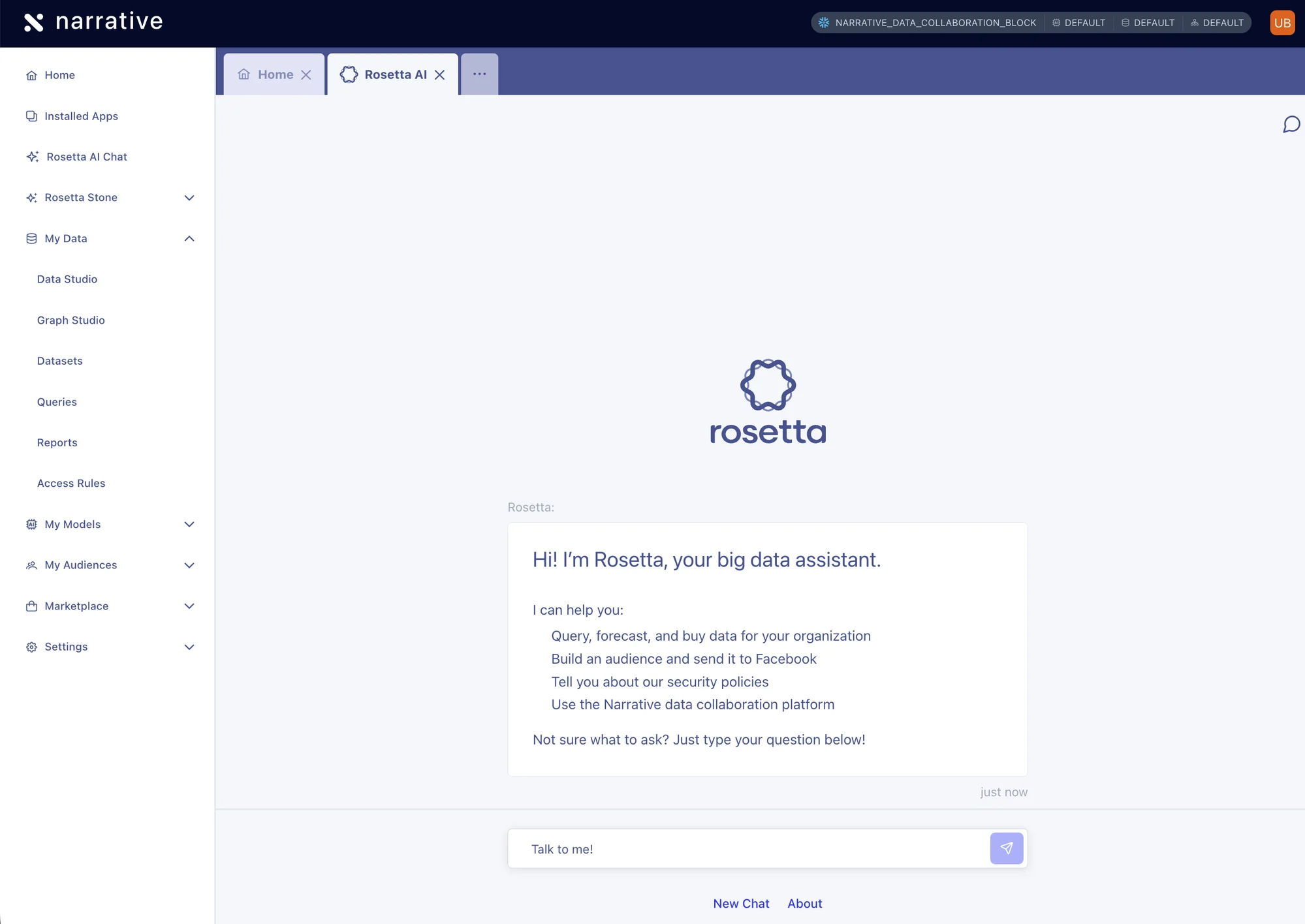 Rosetta is also easier to find: it's now a top-level entry in the side navigation, promoted out of the old `Tools` submenu.
**Why answers are better now.** Rosetta AI Chat has been rebuilt on top of the [Narrative Data Collaboration MCP server](/reference/integrations/mcp-server) and the [Narrative Knowledge Base MCP server](/reference/integrations/mcp-knowledge-base) — the same servers your team can connect to from Claude Code, Claude Desktop, Cursor, or any other MCP-aware client. Instead of running on a bespoke tool layer that only Rosetta could see, every question goes through the live MCP tool catalog: dataset, attribute, and access-rule lookups use the same fuzzy search and pagination, and how-to and platform answers ground against the live Knowledge Base instead of a snapshot embedded in the chat.
**Every new MCP capability shows up in chat for free.** New tools, skills, and fixes that land on the MCP servers — workflow orchestration, access rules, dataset operations, NQL execution, schema-compatible tool input, persistent sessions, auto-auth, fuzzy search, and the rest of this month's launches — appear in Rosetta the moment they ship. There is no longer a separate "chat backend" to keep in sync with what external agents see, so every investment in the MCP surface compounds across every Narrative-aware harness at once — Rosetta AI Chat, Claude Code, Claude Desktop, Cursor, and anything else you connect.
The migration also fixes a class of session-lifecycle bugs: conversations are created server-side on the first message and their ids are adopted into the URL in place, so refreshing the page resumes the same conversation and in-flight responses are no longer cancelled by client-side navigation. The embedded Rosetta tab updates its path without remounting, keeping a single tab per chat instead of spawning a new one for every session.
## Public `/health` endpoint no longer exposes infrastructure details
The public Open API `/health` endpoint now returns a detail-free response by default to avoid leaking infrastructure information (database hostnames, S3 bucket names, per-dependency error messages). Unauthenticated callers receive `{"success": true|false}` with the same `200` (healthy) or `500` (unhealthy) status code as before, so existing uptime probes, load balancer checks, and synthetics canaries that rely on the HTTP status keep working unchanged.
To retrieve the full `HealthCheckResult` with per-dependency details, send the stage-specific secret in the `X-Narrative-Health-Check-Secret` header. The secret is stored in SSM at `/${stage}/open-api/health-check/secret` and can be rotated independently per stage. The internal API's `/health` endpoint is unchanged, as it is only reachable through a private VPCE.
## Rosetta AI Chat: playful thinking messages and richer tool call rendering
Rosetta AI Chat now keeps you company while it works. Instead of a single static "Thinking…" line, the chat cycles through a rotating set of short, on-topic loading messages that riff on what you actually asked — so a question about churn might surface "Churning the butter…" while a question about your budget might surface "Counting the beans…". When Chrome's on-device language model is available, the messages are generated locally and tailored to your prompt; otherwise the chat falls back to a curated set of generic messages. Nothing about your request leaves the browser to power the animation.
Tool calls render more consistently as well. Every tool invocation now flows through a single, unified renderer, so MCP tool activity in the conversation looks coherent across the catalog rather than varying tool by tool. Submitting a message is also more responsive — your turn appears in the transcript optimistically the moment you hit send, instead of waiting for the server round-trip. And the previous cap on how many tool-call iterations a single Rosetta turn could take has been lifted, so longer multi-step investigations (chained dataset lookups, NQL refinements, knowledge base searches) can run to completion without being cut short.
## Auto-titled agent conversations
Agent conversations now generate a human-readable title automatically on the first user turn. When you call `POST /agents/conversations/{id}/runs` on an unnamed conversation, the platform enqueues a one-shot, schema-constrained inference over the first user message and writes the result to `agent_conversations.name` — no extra request needed and no impact on the agent run itself (no extra messages, no version bump).
Naming is idempotent: it only fires while `name` is `null`, and the underlying workflow rejects duplicate IDs, so retries and concurrent first runs converge on a single title. Once a conversation has a name — whether set by auto-titling or by an explicit update — subsequent runs leave it alone.
Run responses now include a `current_name` field that reflects the conversation's title at the time the run was observed, so clients can render the latest name alongside run state without a separate `GET /agents/conversations/{id}` round trip.
## In-flight progress for agent runs
`GET /agents/runs/{id}` now streams an agent run's progress while it's still executing through a new `live.messages` field. As the agent loop produces each turn — tool calls, tool results, and intermediate model responses — it appends them best-effort so you can render activity in real time instead of waiting for the run to reach a terminal state.
Live messages only appear while the run is non-terminal. Once the run finishes (or fails), the live entries are cleared and the committed message log under `messages` becomes authoritative, so live turns never get a `sequence_no` and never bump the conversation version. The streaming path is best-effort and never fails the run itself.
## Compute pool lookups tolerate transient errors
Jobs running on [compute pools](/concepts/primitives/compute-pools) no longer fail permanently when the compute-pool lookup hits a transient error. Previously, the AWS data plane operator collapsed every lookup failure — 5xx responses, timeouts, connectivity blips, and genuine 404s — into a single "compute pool could not be resolved (it may have been archived or does not exist)" failure, which terminally killed the job even when the pool was active the whole time.
The operator now classifies lookup outcomes three ways: active pools dispatch as before, genuinely missing or archived pools still fail fast with the same actionable message, and transient errors (HTTP 429, 5xx, or connectivity/timeout) leave the job untouched so the next poll retries the lookup. The "could not be resolved" message is now only surfaced when the pool is actually gone, so it accurately reflects the situation when you see it.
## Dashboard updates: dataset picker, refreshed logo, and Yahoo connector fix
* **Horizontally scrollable dataset picker.** The dataset picker used across the Composable Identity builders — Edge Builder, Graph Studio input configuration, and Match Report Builder — now scrolls horizontally instead of squeezing its columns into the available width. The ID, Display Name, Unique Name, and Created At columns each render at their natural width and stay legible regardless of how narrow the surrounding panel is, making it easier to identify the right dataset when selecting first-party sources, graph inputs, or match report sources.
* **Refreshed Narrative logo.** The Narrative logo has been updated across the dashboard. The new mark renders inline as an SVG, so it inherits the surrounding text color and stays crisp at every size — from the top navigation bar to compact in-app badges.
* **Yahoo connector shows all opt-out and PXID connections.** Fixed an issue in the Yahoo DSP connector where some opt-out and PXID (partner match) connections were missing from the connector's settings view. All existing opt-out and partner match connections now appear, so you can review and manage every connection tied to your profile.
## Data Studio: interactive runs deliver previewable results
Clicking **Run** in Data Studio now produces a previewable sample on every [data plane](/concepts/primitives/data-planes), including [Snowflake Native App data planes](/reference/integrations/snowflake-native-app) where the **Preview Results** panel previously stayed empty. Behind the scenes, an interactive run is now submitted as a two-task workflow — `CreateMaterializedViewIfNotExists` followed by `CreateDatasetSample` — so the sample is orchestrated server-side and is guaranteed to exist by the time the run resolves. NQL is still pre-validated client-side, so the detailed error dialog continues to surface syntax and binding problems before any work is scheduled.
The result dataset is still a temporary [materialized view](/concepts/nql/materialized-views) tagged `_nio_interactive` with a one-day retention policy, and still appears on the Queries page under **Interactive queries**. Two refinements make it easier to find:
* **Human-readable names and descriptions.** When Chrome's on-device model is available, Data Studio generates a display name and description for the result dataset from the NQL you ran. Generation is best-effort — unsupported browsers, an undownloaded model, or a timeout all fall back to the previous unnamed view, and the underlying dataset name stays a UUID so re-runs never collide with an existing view.
* **Refresh and auto-refresh on My Queries.** Every tab on the **My Queries** page now has a refresh button, and interactive runs refresh the queries and datasets stores automatically when they complete. New runs show up in history without a page reload, and rows prefer the generated display name when one is present.
## Datasets API: filter by data plane and tag
`GET /datasets` now accepts `data_plane_id` and `tag` query parameters so you can narrow the list without filtering client-side.
* `data_plane_id` takes a single data plane UUID and returns only datasets stored on that plane.
* `tag` is repeatable — pass it multiple times (e.g. `?tag=foo&tag=bar`) to restrict results to datasets carrying any of the given tags. Unknown tag values return a `400` instead of a server error.
Both filters compose with the existing `q` keyword search and pagination parameters.
## MCP server: Conversations API snippet and fuzzy search
Two improvements to the Narrative **Model Context Protocol (MCP)** server and its marketplace surface.
* **Narrative Conversations API snippet on MCP server pages.** MCP server detail pages in the marketplace (`/marketplace/mcp-servers/[slug]`) now include a **Narrative Conversations API** option in the Configuration section, alongside the existing third-party client snippets for Claude Code, Cowork, Claude Desktop, ChatGPT, and Codex. The new option shows the `defaults.mcp_servers` fragment to drop into an [Agent Conversations API](/reference/architecture/agent-conversations) request, with the selected server expressed as `{ alias, url, description }` — the array shape the Conversations API expects, which is distinct from the `mcpServers` object used by the Claude harnesses. The alias, URL, and description are derived from the listing you're viewing, so you can copy the snippet directly into a request without leaving the platform. Other `defaults` fields (such as `model`, `data_plane_id`, and `execution_cluster`) are elided as `...` since they're out of scope for adding a server. Claude Code remains the default-selected snippet.
* **Fuzzy matching for dataset and access-rule search.** The `narrative_datasets_search` and `narrative_access_rules_search` tools now use token-aware fuzzy matching instead of plain substring matching, so agents recover gracefully from typos, word-order differences, and minor morphological variation (e.g. `edge` vs `edges`, `myAttributeName` vs `my attribute name`). Each candidate is scored on a 0–100 scale using a Levenshtein-derived combination of token-sort and token-set ratios, weighted across fields. For datasets, `search_term` now ranks against `name`, `display_name`, and `description`; for access rules, it ranks against `name` and `description`. Results are returned ordered by descending match score, and matches that don't clear a per-tool score threshold are dropped. Tag and data-plane filters continue to work as exact-match constraints alongside `search_term`. Reconnect your MCP client to pick up the new tool descriptions.
## Platform updates: credit limit enforcement and interactive query routing
* **Credit limit enforcement on usage-producing endpoints.** Endpoints that start usage-producing work on Narrative-owned data planes now check the company's credit limit before running. `POST /nql/run`, `POST /openapi/model-inference/run`, `POST /agents/conversations/{id}/runs`, and the workflow run and trigger endpoints reject requests with HTTP `403` and an RFC 7807 `Company Credit Limit Exceeded` response when the company has no credit account or has exceeded its limit. Runs targeted at customer-owned data planes are unaffected. If your account is blocked, reach out to your account manager to restore access.
* **Interactive queries open in Dataset Details.** Clicking an interactive query on the Queries page now opens it in Dataset Details instead of Data Studio. Interactive queries are temporary materialized-view datasets with no editable query to load, so routing them to Data Studio produced an error. They now land on the dataset's NQL tab, which shows the originating query. As part of this fix, the Queries page was rebuilt around the standard object browser pattern, with one tab per query type, live counts in the tab headings, and type-aware row actions (datasets offer both Dataset Details and Data Studio; access rules, forecasts, templates, and views continue to open in Data Studio).
## RecalculateStatistics workflow task
You can now refresh a dataset's column statistics from within a workflow using the new `RecalculateStatistics` task. This is useful after a step that loads or modifies data — for example, chaining it after an `ExecuteDml` task so downstream consumers see up-to-date statistics without a separate manual trigger.
Specify the target dataset by either `datasetId` or `datasetName` (exactly one), with an optional `computePoolId` to control where the job runs. The dataset must already have a statistics configuration. The task waits for the recalculation to complete and outputs `totalRows` and `columnCount`, which downstream tasks can reference via `export.as` or `${…}` expressions.
## Cancel workflow executions via API
You can now cancel a running workflow execution through the public API. Two endpoints are available: `POST /workflows/{workflowId}/cancel` cancels the currently running execution of a workflow, and `POST /workflows/{workflowId}/runs/{runId}/cancel` cancels a specific run by its run ID.
The run-level endpoint is the recommended option because it guarantees that only the intended execution is cancelled. Cancelling by workflow ID alone is subject to a race condition where the targeted execution finishes and a new one starts before the server processes the request, which would cancel the new execution instead. Both endpoints return `204 No Content` once the cancellation request has been accepted.
In addition, subscriptions can now be cancelled through `POST /subscriptions/{subscriptionId}/cancel`. Cancelled subscriptions cannot be reactivated.
## Reference datasets by ID in workflow tasks
Workflow DSL tasks that operate on a dataset now accept either `datasetId` or `datasetName`, giving you more flexibility when wiring tasks together. Previously, `datasetName` was required.
This applies to the `RefreshMaterializedView`, `CreateDatasetSample`, and `CreateRosettaStoneMappingsIfNotExist` tasks. Use `datasetId` when an upstream task outputs a dataset id (for example via `export.as`), or continue using `datasetName` when referencing a known dataset by name. Exactly one of the two must be supplied.
## Composable AI Marketplace
Compose AI agents that work with your data — without writing custom code — by combining prebuilt building blocks from a single marketplace.
Rosetta is also easier to find: it's now a top-level entry in the side navigation, promoted out of the old `Tools` submenu.
**Why answers are better now.** Rosetta AI Chat has been rebuilt on top of the [Narrative Data Collaboration MCP server](/reference/integrations/mcp-server) and the [Narrative Knowledge Base MCP server](/reference/integrations/mcp-knowledge-base) — the same servers your team can connect to from Claude Code, Claude Desktop, Cursor, or any other MCP-aware client. Instead of running on a bespoke tool layer that only Rosetta could see, every question goes through the live MCP tool catalog: dataset, attribute, and access-rule lookups use the same fuzzy search and pagination, and how-to and platform answers ground against the live Knowledge Base instead of a snapshot embedded in the chat.
**Every new MCP capability shows up in chat for free.** New tools, skills, and fixes that land on the MCP servers — workflow orchestration, access rules, dataset operations, NQL execution, schema-compatible tool input, persistent sessions, auto-auth, fuzzy search, and the rest of this month's launches — appear in Rosetta the moment they ship. There is no longer a separate "chat backend" to keep in sync with what external agents see, so every investment in the MCP surface compounds across every Narrative-aware harness at once — Rosetta AI Chat, Claude Code, Claude Desktop, Cursor, and anything else you connect.
The migration also fixes a class of session-lifecycle bugs: conversations are created server-side on the first message and their ids are adopted into the URL in place, so refreshing the page resumes the same conversation and in-flight responses are no longer cancelled by client-side navigation. The embedded Rosetta tab updates its path without remounting, keeping a single tab per chat instead of spawning a new one for every session.
## Public `/health` endpoint no longer exposes infrastructure details
The public Open API `/health` endpoint now returns a detail-free response by default to avoid leaking infrastructure information (database hostnames, S3 bucket names, per-dependency error messages). Unauthenticated callers receive `{"success": true|false}` with the same `200` (healthy) or `500` (unhealthy) status code as before, so existing uptime probes, load balancer checks, and synthetics canaries that rely on the HTTP status keep working unchanged.
To retrieve the full `HealthCheckResult` with per-dependency details, send the stage-specific secret in the `X-Narrative-Health-Check-Secret` header. The secret is stored in SSM at `/${stage}/open-api/health-check/secret` and can be rotated independently per stage. The internal API's `/health` endpoint is unchanged, as it is only reachable through a private VPCE.
## Rosetta AI Chat: playful thinking messages and richer tool call rendering
Rosetta AI Chat now keeps you company while it works. Instead of a single static "Thinking…" line, the chat cycles through a rotating set of short, on-topic loading messages that riff on what you actually asked — so a question about churn might surface "Churning the butter…" while a question about your budget might surface "Counting the beans…". When Chrome's on-device language model is available, the messages are generated locally and tailored to your prompt; otherwise the chat falls back to a curated set of generic messages. Nothing about your request leaves the browser to power the animation.
Tool calls render more consistently as well. Every tool invocation now flows through a single, unified renderer, so MCP tool activity in the conversation looks coherent across the catalog rather than varying tool by tool. Submitting a message is also more responsive — your turn appears in the transcript optimistically the moment you hit send, instead of waiting for the server round-trip. And the previous cap on how many tool-call iterations a single Rosetta turn could take has been lifted, so longer multi-step investigations (chained dataset lookups, NQL refinements, knowledge base searches) can run to completion without being cut short.
## Auto-titled agent conversations
Agent conversations now generate a human-readable title automatically on the first user turn. When you call `POST /agents/conversations/{id}/runs` on an unnamed conversation, the platform enqueues a one-shot, schema-constrained inference over the first user message and writes the result to `agent_conversations.name` — no extra request needed and no impact on the agent run itself (no extra messages, no version bump).
Naming is idempotent: it only fires while `name` is `null`, and the underlying workflow rejects duplicate IDs, so retries and concurrent first runs converge on a single title. Once a conversation has a name — whether set by auto-titling or by an explicit update — subsequent runs leave it alone.
Run responses now include a `current_name` field that reflects the conversation's title at the time the run was observed, so clients can render the latest name alongside run state without a separate `GET /agents/conversations/{id}` round trip.
## In-flight progress for agent runs
`GET /agents/runs/{id}` now streams an agent run's progress while it's still executing through a new `live.messages` field. As the agent loop produces each turn — tool calls, tool results, and intermediate model responses — it appends them best-effort so you can render activity in real time instead of waiting for the run to reach a terminal state.
Live messages only appear while the run is non-terminal. Once the run finishes (or fails), the live entries are cleared and the committed message log under `messages` becomes authoritative, so live turns never get a `sequence_no` and never bump the conversation version. The streaming path is best-effort and never fails the run itself.
## Compute pool lookups tolerate transient errors
Jobs running on [compute pools](/concepts/primitives/compute-pools) no longer fail permanently when the compute-pool lookup hits a transient error. Previously, the AWS data plane operator collapsed every lookup failure — 5xx responses, timeouts, connectivity blips, and genuine 404s — into a single "compute pool could not be resolved (it may have been archived or does not exist)" failure, which terminally killed the job even when the pool was active the whole time.
The operator now classifies lookup outcomes three ways: active pools dispatch as before, genuinely missing or archived pools still fail fast with the same actionable message, and transient errors (HTTP 429, 5xx, or connectivity/timeout) leave the job untouched so the next poll retries the lookup. The "could not be resolved" message is now only surfaced when the pool is actually gone, so it accurately reflects the situation when you see it.
## Dashboard updates: dataset picker, refreshed logo, and Yahoo connector fix
* **Horizontally scrollable dataset picker.** The dataset picker used across the Composable Identity builders — Edge Builder, Graph Studio input configuration, and Match Report Builder — now scrolls horizontally instead of squeezing its columns into the available width. The ID, Display Name, Unique Name, and Created At columns each render at their natural width and stay legible regardless of how narrow the surrounding panel is, making it easier to identify the right dataset when selecting first-party sources, graph inputs, or match report sources.
* **Refreshed Narrative logo.** The Narrative logo has been updated across the dashboard. The new mark renders inline as an SVG, so it inherits the surrounding text color and stays crisp at every size — from the top navigation bar to compact in-app badges.
* **Yahoo connector shows all opt-out and PXID connections.** Fixed an issue in the Yahoo DSP connector where some opt-out and PXID (partner match) connections were missing from the connector's settings view. All existing opt-out and partner match connections now appear, so you can review and manage every connection tied to your profile.
## Data Studio: interactive runs deliver previewable results
Clicking **Run** in Data Studio now produces a previewable sample on every [data plane](/concepts/primitives/data-planes), including [Snowflake Native App data planes](/reference/integrations/snowflake-native-app) where the **Preview Results** panel previously stayed empty. Behind the scenes, an interactive run is now submitted as a two-task workflow — `CreateMaterializedViewIfNotExists` followed by `CreateDatasetSample` — so the sample is orchestrated server-side and is guaranteed to exist by the time the run resolves. NQL is still pre-validated client-side, so the detailed error dialog continues to surface syntax and binding problems before any work is scheduled.
The result dataset is still a temporary [materialized view](/concepts/nql/materialized-views) tagged `_nio_interactive` with a one-day retention policy, and still appears on the Queries page under **Interactive queries**. Two refinements make it easier to find:
* **Human-readable names and descriptions.** When Chrome's on-device model is available, Data Studio generates a display name and description for the result dataset from the NQL you ran. Generation is best-effort — unsupported browsers, an undownloaded model, or a timeout all fall back to the previous unnamed view, and the underlying dataset name stays a UUID so re-runs never collide with an existing view.
* **Refresh and auto-refresh on My Queries.** Every tab on the **My Queries** page now has a refresh button, and interactive runs refresh the queries and datasets stores automatically when they complete. New runs show up in history without a page reload, and rows prefer the generated display name when one is present.
## Datasets API: filter by data plane and tag
`GET /datasets` now accepts `data_plane_id` and `tag` query parameters so you can narrow the list without filtering client-side.
* `data_plane_id` takes a single data plane UUID and returns only datasets stored on that plane.
* `tag` is repeatable — pass it multiple times (e.g. `?tag=foo&tag=bar`) to restrict results to datasets carrying any of the given tags. Unknown tag values return a `400` instead of a server error.
Both filters compose with the existing `q` keyword search and pagination parameters.
## MCP server: Conversations API snippet and fuzzy search
Two improvements to the Narrative **Model Context Protocol (MCP)** server and its marketplace surface.
* **Narrative Conversations API snippet on MCP server pages.** MCP server detail pages in the marketplace (`/marketplace/mcp-servers/[slug]`) now include a **Narrative Conversations API** option in the Configuration section, alongside the existing third-party client snippets for Claude Code, Cowork, Claude Desktop, ChatGPT, and Codex. The new option shows the `defaults.mcp_servers` fragment to drop into an [Agent Conversations API](/reference/architecture/agent-conversations) request, with the selected server expressed as `{ alias, url, description }` — the array shape the Conversations API expects, which is distinct from the `mcpServers` object used by the Claude harnesses. The alias, URL, and description are derived from the listing you're viewing, so you can copy the snippet directly into a request without leaving the platform. Other `defaults` fields (such as `model`, `data_plane_id`, and `execution_cluster`) are elided as `...` since they're out of scope for adding a server. Claude Code remains the default-selected snippet.
* **Fuzzy matching for dataset and access-rule search.** The `narrative_datasets_search` and `narrative_access_rules_search` tools now use token-aware fuzzy matching instead of plain substring matching, so agents recover gracefully from typos, word-order differences, and minor morphological variation (e.g. `edge` vs `edges`, `myAttributeName` vs `my attribute name`). Each candidate is scored on a 0–100 scale using a Levenshtein-derived combination of token-sort and token-set ratios, weighted across fields. For datasets, `search_term` now ranks against `name`, `display_name`, and `description`; for access rules, it ranks against `name` and `description`. Results are returned ordered by descending match score, and matches that don't clear a per-tool score threshold are dropped. Tag and data-plane filters continue to work as exact-match constraints alongside `search_term`. Reconnect your MCP client to pick up the new tool descriptions.
## Platform updates: credit limit enforcement and interactive query routing
* **Credit limit enforcement on usage-producing endpoints.** Endpoints that start usage-producing work on Narrative-owned data planes now check the company's credit limit before running. `POST /nql/run`, `POST /openapi/model-inference/run`, `POST /agents/conversations/{id}/runs`, and the workflow run and trigger endpoints reject requests with HTTP `403` and an RFC 7807 `Company Credit Limit Exceeded` response when the company has no credit account or has exceeded its limit. Runs targeted at customer-owned data planes are unaffected. If your account is blocked, reach out to your account manager to restore access.
* **Interactive queries open in Dataset Details.** Clicking an interactive query on the Queries page now opens it in Dataset Details instead of Data Studio. Interactive queries are temporary materialized-view datasets with no editable query to load, so routing them to Data Studio produced an error. They now land on the dataset's NQL tab, which shows the originating query. As part of this fix, the Queries page was rebuilt around the standard object browser pattern, with one tab per query type, live counts in the tab headings, and type-aware row actions (datasets offer both Dataset Details and Data Studio; access rules, forecasts, templates, and views continue to open in Data Studio).
## RecalculateStatistics workflow task
You can now refresh a dataset's column statistics from within a workflow using the new `RecalculateStatistics` task. This is useful after a step that loads or modifies data — for example, chaining it after an `ExecuteDml` task so downstream consumers see up-to-date statistics without a separate manual trigger.
Specify the target dataset by either `datasetId` or `datasetName` (exactly one), with an optional `computePoolId` to control where the job runs. The dataset must already have a statistics configuration. The task waits for the recalculation to complete and outputs `totalRows` and `columnCount`, which downstream tasks can reference via `export.as` or `${…}` expressions.
## Cancel workflow executions via API
You can now cancel a running workflow execution through the public API. Two endpoints are available: `POST /workflows/{workflowId}/cancel` cancels the currently running execution of a workflow, and `POST /workflows/{workflowId}/runs/{runId}/cancel` cancels a specific run by its run ID.
The run-level endpoint is the recommended option because it guarantees that only the intended execution is cancelled. Cancelling by workflow ID alone is subject to a race condition where the targeted execution finishes and a new one starts before the server processes the request, which would cancel the new execution instead. Both endpoints return `204 No Content` once the cancellation request has been accepted.
In addition, subscriptions can now be cancelled through `POST /subscriptions/{subscriptionId}/cancel`. Cancelled subscriptions cannot be reactivated.
## Reference datasets by ID in workflow tasks
Workflow DSL tasks that operate on a dataset now accept either `datasetId` or `datasetName`, giving you more flexibility when wiring tasks together. Previously, `datasetName` was required.
This applies to the `RefreshMaterializedView`, `CreateDatasetSample`, and `CreateRosettaStoneMappingsIfNotExist` tasks. Use `datasetId` when an upstream task outputs a dataset id (for example via `export.as`), or continue using `datasetName` when referencing a known dataset by name. Exactly one of the two must be supplied.
## Composable AI Marketplace
Compose AI agents that work with your data — without writing custom code — by combining prebuilt building blocks from a single marketplace.
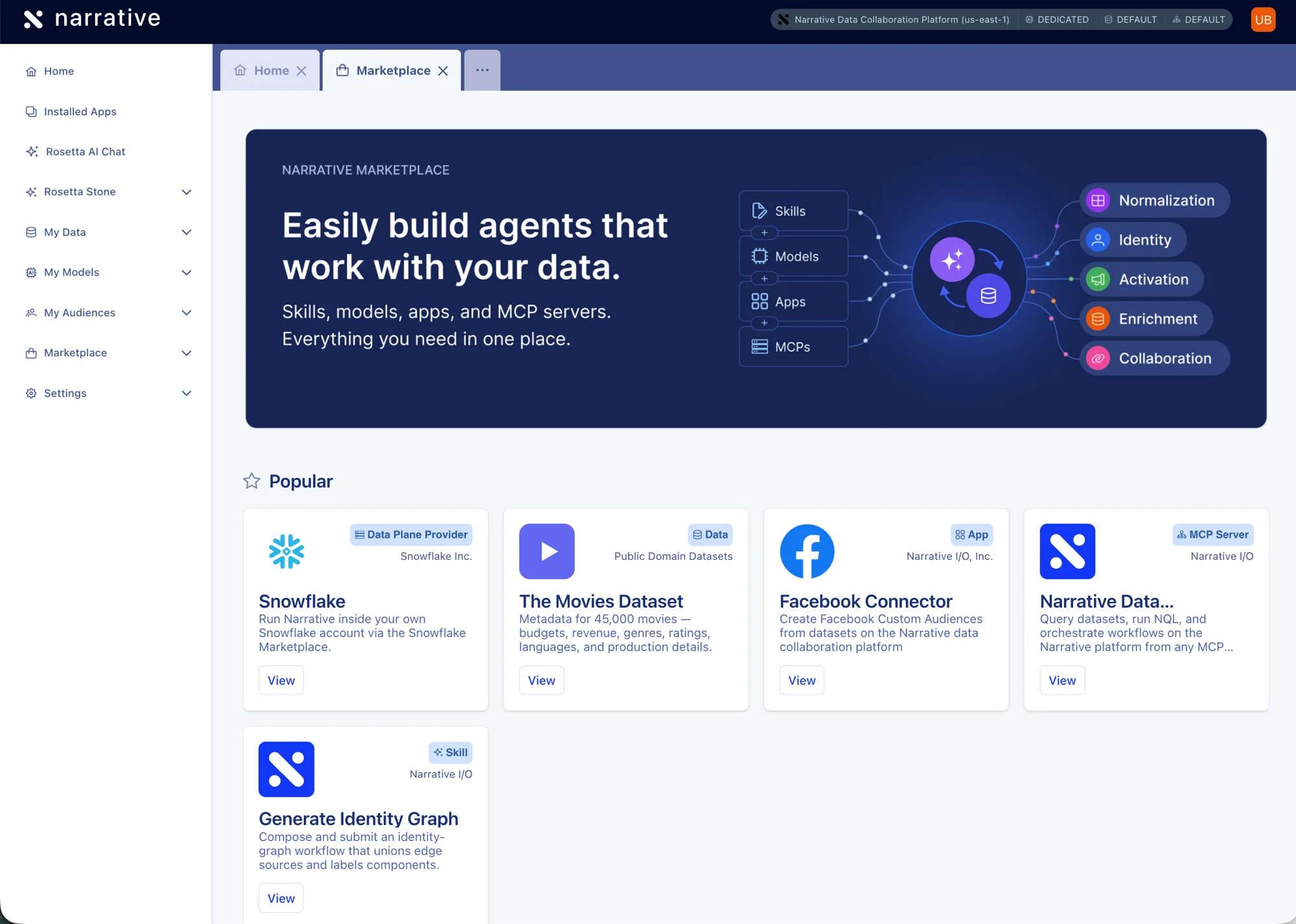 Open `/marketplace` to browse and install skills, models, apps, MCP servers, data plane providers, and licensed datasets. Whether you want Rosetta AI Chat to draft an NQL query, Claude Desktop to build an identity graph, or an internal automation to activate an audience into Facebook, you assemble it from the same catalog instead of stitching infrastructure together yourself.
**Six catalog kinds, browsable from the new landing page and via the *Browse all* menu entry:**
* **Models** — the LLMs available for inference. Claude Opus, Sonnet, and Haiku via Bedrock on the Narrative Cloud data plane at launch, with additional providers reachable through other data planes.
* **Data Plane Providers** — where workloads run. Narrative Cloud (first-party, auto-installed for every company) and Snowflake at launch. Each provider page lists its available models and the compatible app connectors that link to its app detail page.
* **MCP Servers** — what AI agents can *do* with your data. Three always-available remote HTTP servers ship at launch: **Narrative Data Collaboration** (`mcp.narrative.io`, OAuth), [Knowledge Base](/reference/integrations/mcp-knowledge-base) (`docs.narrative.io`), and [Agent Feedback](/reference/integrations/mcp-agent-feedback) (`narrative.support`). Each detail page lists the available tools and a copyable client configuration you can paste into Claude Code, Claude Desktop, Cursor, or any other MCP-aware client.
* [**Skills**](/concepts/mcp/skills) — harness-agnostic, prebuilt agent workflows (writing NQL, generating identity graphs, applying Rosetta Stone mappings, etc.) that orchestrate the MCP servers on top of your data. Filter by plugin, search published skills, and open a detail page showing **Specifications**, **Dependencies**, and **Installation**. Eight skills at launch. See [Installing skills](/guides/mcp/installing-skills).
* **Apps** — the connectors and integrations (Facebook, Google Ads, Snowflake, S3, The Trade Desk, TikTok, Pinterest, and more) that activate audiences and move data into and out of the platform. Rebuilt around typed app manifests, with search, sort, filter, and a unified Install / Launch flow.
* **Data** — third-party datasets a data owner makes available through a Narrative [access rule](/concepts/primitives/access-rules). *Queried* with NQL rather than installed: each detail page shows a copyable `SELECT … FROM companySlug.ruleName` snippet, a Schema table, the Rosetta Stone attributes the dataset surfaces, and CPM pricing inline. Access-gated — listings only appear when the active company can query the underlying rule.
Skills and MCP Servers are cross-linked: each skill lists the servers it requires under **Requires MCP Servers**, and each server lists the skills that depend on it under **Used by Skills** — so you can navigate between related listings without guessing.
## List agent conversations
The Agent Conversations API now supports `GET /agents/conversations` to fetch a paginated list of the calling user's conversations, newest first by `created_at`. Results are scoped to **both** the bearer token's `company_id` and `user_id` — peers in the same company cannot see each other's conversations.
The endpoint uses the standard `page` / `per_page` query parameters (default `per_page` is 50) and returns the usual paginated envelope with `prev_page`, `current_page`, `next_page`, `total_records`, `total_pages`, and `records`. Callers with no conversations get an empty `records` array rather than a 404. Access requires the `agent_conversations:read` permission.
## Structured outputs for agent runs
Agent runs now expose the model's final answer through two mutually exclusive fields, removing the prior requirement that every caller-supplied `output_format_schema` declare a top-level `text: string`.
On `status: completed`, the `GET /agents/runs/{id}` response populates exactly one of:
* `final_text` — the plain-text answer, used when the caller did **not** supply an `output_format_schema` (text mode).
* `final_structured_output` — a JSON object conforming verbatim to the caller's `output_format_schema` (structured mode). The shape is whatever the caller defined — `oneOf`, extraction results, nested objects, etc. — with no top-level `text` field required or implied.
Previously, runs with custom output schemas that didn't include a top-level `text` field failed post-inference with `AgentLoopSchemaDecodeFailed`. Existing text-mode callers see no change: `final_text` continues to be populated as before, with `final_structured_output` set to `null`.
## Compute pools: default on registration and copy identifier
Two improvements to the [compute pools](/concepts/primitives/compute-pools) surface.
* **Default compute pool on company registration.** New companies are now provisioned with a usable compute target the moment registration completes. Every non-B2B `register` flow creates a private, x-small AWS EMR compute pool on the Narrative data plane and pins it as the company-level default for that data plane. Jobs that don't pin a pool explicitly — and have no dataset-level or data-plane default to fall back to — now resolve to this seeded pool instead of failing with "no compute pool configured". You can rename, archive, or replace the default at any time. B2B registration is unaffected since it maps to a pre-existing configured company.
* **Copy Identifier action.** The Compute Pools tab on the Data Plane detail page now includes a **Copy Identifier** action in each row's kebab menu, letting you grab a compute pool's UUID without opening the Edit drawer. This matches the existing copy-identifier affordances on data planes, datasets, jobs, and workflows.
## Marketplace polish: Home discovery, Data catalog fix, and standalone apps cleanup
Follow-up polish to the [Composable AI Marketplace](/release-notes#composable-ai-marketplace) launched earlier this week.
* **Home page Browse Apps for zero-install users.** Logged-out visitors and fresh tenants now see a **Browse Apps** row of up to eight marketplace apps on the Home page, alongside the Get Started cards. Cards link to each app's marketplace listing, and a **Browse all apps** button routes to `/marketplace/apps`. Once you have at least one installed app, Home flips back to the installed-Apps section with **Launch** buttons. The **View all apps** button in the installed-Apps section now also routes to `/marketplace/apps`. Tab titles are now distinct: `/apps` reads **Installed Apps** and `/marketplace/apps` keeps **Apps**.
* **First-load fix for the Data catalog.** Fixed a race condition that could cause the Marketplace **Data** catalog to render empty on a cold first load even when you had accessible products. The store backing accessible access rules now waits for the API service to initialize before fetching, so the catalog populates correctly on first paint without requiring a refresh. The fix also covers auth-state transitions (such as **View As** switches) that re-trigger service initialization.
* **Deprecated standalone apps removed.** Legacy standalone apps already replaced by native Platform UI experiences are no longer accessible from the dashboard. This includes **Touchless PII Hasher**, **Data Studio for Buyers**, **Data Studio for Sellers** (Access Rules and Data Streams), and **Shop Builder** (Quick Start, Settings, and Site Pages). All functionality is available directly in the Platform UI — update any bookmarks pointing at `/touchless-pii-hasher/hash`, `/buy/buyer-studio`, `/sell/access-rules`, `/sell/data-streams`, or `/shop-builder/*` to the corresponding Platform pages.
* **Launch lineup mention.** Five public-domain Data listings ship at launch: **The Movies Dataset**, **US state polygons**, **German PLZ → lat/long**, **German PLZ polygons**, and **Germany polygon**.
## Match Report polish: builder, listing, and viewer
Polish across the Marketplace Match Report flow shipped earlier this month.
* **Automatic sample data for Graph Builder and Match Reports.** Datasets created from the Graph Builder and Match Report builders now kick off a sample-generation job automatically as soon as the underlying workflow completes. Sample data is available immediately after the build finishes, so you can start exploring results without manually triggering a sample job. The Match Reports list and detail pages also now surface the sample job status alongside the workflow status, and handle the edge case where a workflow fails after the dataset has already been created — so partially built reports are still discoverable and recoverable.
* **Supplier access rule filtering and Match Report builder polish.** Fixed an issue where eligible supplier access rules were filtered against their backing datasets' Rosetta Stone mappings instead of the access rules' own mappings — suppliers that exposed graph edge mappings through their access rules are now correctly listed. Access rule details now include a **Mappings** section showing the Rosetta Stone attributes and properties exposed through the rule, the supplier steps in the builder were retitled to **Supplier Identity Access Rule** and **Supplier Enrichment Access Rule**, and access rule names now fall back to a sensible default when missing.
* **Listing improvements.** The Marketplace Match Reports listing page loads faster and only shows reports that are ready to view. The page no longer issues redundant requests for in-progress workflow runs, and reports backed by incomplete dataset outputs are hidden until they finish processing — so the reports you see are always ready to open.
* **Viewer refinements.** The Marketplace Match Report viewer now focuses on the report itself: the **NQL** and **Metadata** tabs have been removed so the **Report** view is the single landing surface for evaluating a supplier match. The listing's **Dataset ID** column links straight to the dataset details page with a tooltip clarifying the destination. Reports built on older, unsupported tag versions now show a clear error message instead of attempting to render, and Match Report builds tag the dataset with a schema version (`_nio_ci_match_report:0.1`) so future viewer updates remain backwards compatible with existing reports.
## MCP server: auto-auth, persistent sessions, workflow tagging, schema compatibility, and access-rules fix
Five improvements to the Narrative **Model Context Protocol (MCP)** server.
* **Auto-authenticated MCP in agent conversations.** Agent conversations now automatically authenticate to Narrative's own MCP server. When `mcp_servers[].url` on a conversation points at `https://mcp.narrative.io/mcp` (or the dev equivalent), the platform mints a short-lived API token for the calling user and company and attaches it as a `Bearer` credential on every `tools/list` and `tools/call` issued during the run. Agents can now use the full Narrative MCP toolset — datasets, attributes, NQL, workflows, jobs, access rules, and the rest — without you needing to manage API tokens or wire authentication into your client. Public MCP servers outside the Narrative allowlist continue to be called unauthenticated. The minted token lives only for the duration of the in-flight HTTP call and is never persisted, returned in API responses, or logged.
* **Persistent MCP server sessions.** The MCP server now persists sessions across reconnects, so AI assistants no longer have to re-bootstrap a fresh session on every request. Sessions are keyed by a hash of the bearer token and stored in the marketplace database with the bound Narrative API token encrypted at rest using a dedicated KMS key. Subsequent requests rehydrate the existing session, preserving the user's selected company context across reconnects and process restarts. Server-minted API tokens are also refreshed automatically when they're within five minutes of expiry, so long-running agent conversations no longer fail with token-expired errors mid-flight. Caller-provided API tokens remain pass-through and are not refreshed.
* **Auto-tagging for MCP-created workflows.** Workflows created through `narrative_workflows_create` are now automatically tagged with `created_by_mcp_server`. The tag is appended to any tags an agent supplies (preserving their order) and is not duplicated if the agent already includes it, making it easy to identify and filter workflows that were authored by AI assistants.
* **Tool schema compatibility.** Tool input schemas now use only the JSON Schema subset that Anthropic, Bedrock, and Cortex all accept — definitions that previously included unsupported keywords (such as `$ref`/`$defs`, `oneOf`, numeric `minimum`/`maximum`, string `pattern`/`maxLength`, or non-whitelisted `format` values) could be rejected with HTTP 400 by direct MCP clients like Claude Desktop, Cursor, and the Anthropic Messages API. All registered tools have been migrated to the safe subset, and a per-tool cap of 24 optional parameters (Anthropic's limit, counted across nested objects) is now enforced by tests so future tools cannot regress. Reconnect your MCP client to pick up the new schemas.
* **Implicit-share access rules describe fix.** Fixed a parsing error in `narrative_access_rules_describe` when describing rules of type `implicit_share`. The upstream `GET /v2/access-rules/{id}` endpoint omits `dataset_ids` for implicit-share rules, which previously caused the MCP client to fail decoding the response. The field is now optional and renders as `_none_` when absent or empty.
## Model Inference messages now use content blocks
The [Model Inference](/concepts/model-inference/overview) `RunRequest` API now uses a structured `content` array on each message instead of a flat `text` string. Each content block is one of `text`, `tool_use`, or `tool_result`, so multi-turn conversations involving tool calls round-trip through the API without being flattened to prose. Responses always emit the new shape, and the `assistant` role is now accepted alongside `system` and `user`.
The legacy `{ "role", "text" }` request shape is still accepted for backwards compatibility — the API auto-canonicalizes legacy messages into a single `text` content block — but new integrations should send content blocks directly. See the updated [`RunRequest` schema](/reference/model-inference) for examples.
## Redesigned side navigation and Home page
The dashboard side navigation has been restructured to surface the most-used destinations directly. The `Tools` group is gone — **Rosetta AI Chat** is now a top-level entry, **Secret Sharing** has moved under **Settings**, and the collapsible **Installed Apps** sub-menu has been replaced with a single top-level link to a new `/apps` page that lists only the apps you have installed. The new order is Home → Installed Apps → Rosetta AI Chat → Rosetta Stone → My Data → My Models → My Audiences → Marketplace → Settings.
The Home page has been redesigned to match the marketplace pattern. A new **Get Started** section offers three entry points into Normalize, Marketplace, and Explore, and an **Apps** section below it shows your installed app manifests as launchable cards. The Apps section is hidden when you have no installations, so fresh tenants land on a focused Get Started view.
## Skill detail pages: arguments, examples, and `npx skills` install
[Skill detail pages](/concepts/mcp/skills) in the Marketplace now document each skill's slash-command arguments and offer a faster install path. The **Specifications** section renders an **Arguments** table — Argument, Required / Default, and Description — for every skill that accepts flags, and each skill's example prompts have been updated to show those arguments in use (for example, `/write-nql --dataset 123 --run --limit 50 …`). Skills without arguments hide the table.
The **Installation** section now leads with the [`skills` CLI](/guides/mcp/installing-skills) — `npx skills add narrative-io/narrative-skills-marketplace` — as the default install option, with the existing Claude Code `/plugin` commands available from the harness picker.
Also in this release: added an **Agent Conversations** resource (Read + Write) under **Query & Analytics** in the API key create and edit drawer, and improved the resource label fallback so resources not yet in the SDK's label map display as title case.
## Bug fixes
* **Compute pool provider must match the data plane platform.** Creating a [compute pool](/concepts/primitives/compute-pools) now fails fast when the pool's provider does not match its data plane's platform — for example, a Snowflake pool targeting an AWS data plane, or an AWS EMR pool targeting a Snowflake data plane. Previously these mismatches were accepted and could silently be elected as defaults, surfacing only as runtime operator failures at job dispatch. The check runs at create time; provider type cannot drift afterward because `ComputePoolUpdate` has no `externalId` field.
* **AWS data plane job cancellation.** Resolved two issues in the AWS data plane operator that could cause running jobs to be cancelled unexpectedly shortly after dispatch. The iteration-tail idle-cluster reaper now accounts for steps submitted earlier in the same iteration, so a cluster that just received fresh work is no longer terminated based on a stale snapshot showing only completed bootstrap steps. Additionally, operator-managed clusters are now segregated by deployment stage, preventing dev and prod operators running in the same AWS account from treating each other's pending steps as orphans. Jobs running on EMR compute pools should no longer surface the "cancelled without a jobs-API cancellation request" failure caused by these races.
* **Snowflake SELECT struct/array results.** Fixed an issue where NQL `SELECT` jobs against Snowflake-backed datasets returned struct and array columns in an unexpected shape. SELECT job results now use the same Spark JSON converter as the rest of the platform, so nested values are serialized consistently with other query and export paths.
* **Edge Builder dirty-state.** Fixed an issue in the Edge Builder where existing graph edge mappings were incorrectly flagged as "dirty" on load, enabling the save controls even though no changes had been made. Hydrating a saved mapping now correctly reflects its persisted state, including nested object attributes that were previously normalized inconsistently.
## MCP server: workflows, access rules, and API token auth
The Narrative **Model Context Protocol (MCP)** server gained three significant expansions this week, broadening the agent surface from data exploration into orchestration and marketplace navigation.
### Workflow and data plane tools
Five new tools let agents enumerate data planes, create workflows from YAML, and track their runs end-to-end:
* `narrative_data_planes_list` / `narrative_data_planes_describe` — enumerate data planes accessible to the active company and describe one or more by id.
* `narrative_workflows_create` — submit a workflow from a YAML `specification` with optional `trigger_immediately`, `schedule_immediately`, and `tags`.
* `narrative_workflows_describe` — fetch one or more workflows by id; opt into `include=["specification"]` only when you need the full YAML.
* `narrative_workflows_list_runs` — list a workflow's runs with cursor pagination.
The recommended flow is `data_planes_list → workflows_create → workflows_list_runs`.
### Access rule tools
Two new tools let agents discover and inspect [access rules](/concepts/primitives/access-rules):
* `narrative_access_rules_search` — search rules the active company owns or has been granted, with composable AND filters on `search_term`, `exposed_attribute_names`, `tags`, `dataset_ids`, `company_ids`, `owned_only`, and `shared_only`. At least one filter is required.
* `narrative_access_rules_describe` — describe one or more rules with a selectable `include=` set (`metadata`, `mappings`, `nql`, `schema`, `collaborators`, `pricing`).
To reference a rule in NQL, use `.`.
### API token authentication
The MCP server now accepts opaque Narrative API tokens in the `Authorization: Bearer` header, alongside the existing Stytch OAuth JWT path. This enables server-to-server and scripted MCP clients to connect without a browser-based login flow. See [Connecting to the Narrative MCP Server](/guides/mcp/connecting-an-ai-assistant) for the updated auth flow.
## Agent Conversations API launch
Narrative now exposes a public **Agent Conversations API** for driving multi-turn LLM agent loops directly from your applications. A conversation is a long-lived container with a pinned `system_prompt` and a `defaults` block — model, data plane, max iterations, tools, and an output JSON schema — that every subsequent run inherits and can override per call.
### Endpoints
Available under `/agents`:
* `POST /agents/conversations` / `GET /agents/conversations/{id}` — create and inspect a conversation.
* `POST /agents/conversations/{id}/runs` — start an asynchronous run with a `user_message`, or resume a paused run with `tool_outputs`. Runs use `client_op_id` for idempotency and `expected_version` for optimistic concurrency.
* `GET /agents/runs/{id}` — poll a run through `pending → running → completed | requires_action | failed`. Response echoes `effective_config`, `submitted_inference_job_ids`, `pending_tool_calls` when paused, and `final_text` on completion.
* `GET /agents/conversations/{id}/messages` — retrieve the transcript with assistant content blocks and tool calls. Supports `since` for incremental fetches.
### Tool routing
The API uses a single routing rule: the **dash in the wire name** decides where a tool call goes.
* **MCP-resolved tools** keep their `{alias}-{name}` wire form. The platform discovers each `mcp_servers[]` entry's catalog at run start via the JSON-RPC `tools/list` method, so adding, removing, or changing a tool on the server is picked up automatically — no API change needed.
* **Caller-answered tools** are declared as top-level `tools[]` entries with a bare, dash-free `name` and no alias. When called, the run pauses at `status: requires_action`; respond with a follow-up run carrying `payload.kind: tool_outputs`.
* `tool_choice` accepts the bare `name` plus `mcp_alias` when pinning an MCP tool (`{ "kind": "specific_tool", "mcp_alias": "docs", "name": "search_kb" }`), or just `name` for caller-declared tools.
Access is gated by the new `agent_conversations` permission (`read` for the GET endpoints, `write` to create conversations and runs).
## Composable Identity: builder, viewer refresh, and consistent pickers
A coordinated upgrade across the Composable Identity surfaces.
* **Match Report builder.** A new guided builder at **My Data > Reports > New report** walks you through Source → Supplier → Match Identifiers → Supplier Enrichment → Finalize, generating the workflow that materializes a Marketplace Match Report — no hand-authored YAML required.
* **Viewer visual refresh.** The Match Report viewer now uses a consistent card-based layout, with new breakdown cards for identifier-type summaries and identity enrichment.
* **Object Browser pickers.** Dataset and access-rule selection across Composable Identity now uses the Object Browser, replacing the legacy dropdown.
* **Graph builder fix.** Third-party source ID types are no longer grouped with first-party sources when constructing Label Connected Components arguments — graphs combining first- and third-party data now produce correct connected components.
## Compute pool admin controls: delegated management and configurable timeouts
[Compute pools](/concepts/primitives/compute-pools) gained two operator-grade controls this week.
* **Delegated management.** Data plane owners can now grant other companies the right to create, update, and archive compute pools on a shared data plane via the new `manage_compute_pools` field on `DataPlaneCollaborators`. Previously any participant could provision pools just by being listed in `participants`; that permission is now governed separately, so owners can keep participation broad while restricting who may stand up infrastructure. Rights are re-evaluated on every call — revoking `manage_compute_pools` immediately removes a collaborator's ability to mutate pools they previously created.
* **Configurable EMR timeouts.** `aws_emr` pools now accept two optional knobs on the provider payload. `idle_timeout_seconds` overrides EMR's `AutoTerminationPolicy` and the operator-side idle reaper (default 15 min, `0` disables auto-termination, range 60s–7d). `job_execution_timeout_seconds` caps how long a single job's EMR step may stay in `RUNNING` before the operator cancels it (no enforcement by default, range 60s–7d). The shared Narrative pool ships with a 1-hour cap; pools you own can pick their own limit. Orphan steps left after an operator crash are also detected and cancelled on the next iteration.
## Native Sources page in Data Studio
The **My Data > Sources** page has been rebuilt natively in the platform, replacing the legacy embedded experience. The page now loads faster, matches the rest of the platform UI, and exposes source management directly without an iframe wrapper.
From the new page you can:
* Browse your configured sources in a unified listing with an empty state for first-time setup
* Create a new managed S3 bucket source from the **New Source** dialog, with inline validation of bucket configuration
* View per-source authentication and configuration details in the auth config panel
Companies are currently limited to a single managed S3 bucket source; the **New Source** action is disabled with a tooltip once that limit is reached.
## Per-route Open Graph previews
Links shared from the platform now render section-aware previews in Slack, Discord, iMessage, Twitter, LinkedIn, and other unfurling clients. Each route — Marketplace, Workspace, Rosetta, Connector, Rosetta AI, and the default app shell — resolves to a brand-aligned Open Graph image generated on the fly, so a shared Marketplace link no longer shows the same artwork as a Workspace or Rosetta AI link.
The change wires `og:image`, `og:url`, `og:title`, and the matching Twitter card tags reactively for every page, with a worker-default image as a fallback for first paint. No action is required from you — existing links pick up the new previews automatically the next time they are re-scraped by a sharing client.
## Compute pools: company defaults, self-service on shared planes, and `aws_emr` polish
Three changes broaden [compute pools](/concepts/primitives/compute-pools) into a real multi-tenant primitive.
* **Company-level default.** A new tier in the resolution chain — job-specific → dataset default → **company default** → data-plane default — covers operations with no dataset analog (model training, inference, healthchecks). Managed via `PUT/DELETE /company/{id}/data-planes/{dpId}/default-compute-pool[/{poolId}]`, scoped per data plane.
* **Participants can create pools on shared data planes.** `POST /data-planes/{id}/compute-pools` now permits any company allowed by `dataPlane.collaborators`, not just the owner — unlocking self-service compute on the Narrative-hosted data plane. Pool ownership stays with the creator; update/archive remain governed by strict pool ownership.
* **`aws_emr` create polish.** `external_id` is now optional for the `aws_emr` provider (the server fills it in). AWS data planes never auto-promote the first pool to the data plane default — this is now the permanent steady state, not a migration-period restriction.
## Installations API pagination and lookup
The public `GET /installations` endpoint now returns a paginated response and accepts `page` (1-based, default `1`) and `per_page` (default `100`) query parameters. Responses include `currentPage`, `nextPage`, `prevPage`, `totalRecords`, and `totalPages` alongside the `records` array. The App Invites list endpoint has been aligned to use the same `page` and `per_page` parameters in place of the previous `page_number` and `page_size`, and its response now includes the same pagination fields.
A new `GET /installations/{id}` endpoint returns a single installation by ID for the authenticated company, and `POST /installations` now explicitly requires a user access token — app installation tokens and app client credential tokens are rejected with a `403` response.
The private `GET /companies/{id}/installations` and `POST /companies/{id}/installations` endpoints are deprecated in favor of `GET /installations` and `POST /installations`.
## Redesigned Marketplace Apps listing
The Marketplace Apps directory has been rebuilt around typed app manifests, giving you a faster, more consistent way to discover and launch apps.
The listing page now supports search, sort by name or developer, and filtering — making it easier to find the right connector or app in a growing catalog. Each app card surfaces the publisher, a short description, and a primary **Install** or **Launch** action that adapts based on whether the app is already installed.
Selecting an app opens a dedicated detail page with richer merchandising content, and installing an app now opens a permissions sidebar so you can review what the app will access before granting approval. Native apps and external apps share a unified launch flow, so opening an installed app behaves consistently across the marketplace.
## Marketplace Match Report viewer
You can now view and interpret Marketplace Match Reports directly in the platform. The report viewer visualizes how your identity data overlaps with a third-party supplier, helping you evaluate supplier fit before committing spend.
The viewer displays:
* **Identity Enrichment** — a left-to-right flow showing your starting identifiers, which ones matched the supplier, and the net-new identifiers gained
* **Key Performance Metrics** — headline KPIs including match rate, ID enrichment multiplier, and IDs per person
* **Demographic & Behavioral Enrichment** — attribute-level distributions showing how the supplier characterizes your matched customers
Navigate to **Identity Resolution > Marketplace Match Report** and select a report to view it. Reports can be shared via link.
For a detailed walkthrough of every section and the math behind each metric, see [Viewing a marketplace match report](/guides/graph-studio/viewing-marketplace-match-reports).
## MCP server: NQL tools and clearer dataset sample hints
The Narrative **Model Context Protocol (MCP)** server gained NQL execution and a smaller polish that removes a common agent confusion.
* **NQL tools.** Three new tools — `narrative_nql_validate`, `narrative_nql_run`, and `narrative_nql_get_job` — let agents validate, submit, and poll NQL queries (including `CREATE MATERIALIZED VIEW`) without leaving the chat interface. Both `_run` and `_get_job` accept optional `data_plane_id` and `compute_pool_id` overrides. Recommended flow: `validate → run → get_job`.
* **Empty-sample hints.** `narrative_datasets_describe` now distinguishes between a dataset with zero records and one whose sample simply hasn't been requested yet. The rendered `sample` section appends either `// dataset has no records yet` or `// no sample has been requested yet. Call narrative_dataset_request_sample to request one.` so agents know what to do next.
## Tool use in Model Inference
[Model Inference](/concepts/model-inference/overview) on AWS data planes now supports tool use through the [`runModelInference`](/reference/sdks/typescript/model-inference-api) SDK call and the [`RunModelInference`](/reference/workflows/tasks) workflow task.
You can define tools the model is allowed to call and control how it selects them:
* **`tools`** — a list of tool definitions, each with a `name`, `description`, and JSON Schema `input_schema`. Tools default to `strict` mode, which constrains sampling to match the input schema exactly.
* **`tool_choice`** — controls tool selection: `auto` (model decides), `any` (model must call some tool), or `specific_tool` (model must call the named tool).
When the model invokes tools, the job result includes a `tool_calls` array (each with an `id`, tool `name`, and `arguments`) alongside a `stop_reason` that mirrors Bedrock's Converse values (`end_turn`, `tool_use`, `max_tokens`, `stop_sequence`). The existing `structured_output` field is now optional and is omitted when the model stops to call a tool instead of producing a final response.
The change is backward compatible: requests without `tools` behave exactly as before.
## Bug fixes and enhancements
* **NQL UNION ALL usage collection** — Fixed an issue in the NQL compiler where `UNION ALL` queries only collected field usages from the first branch of the union. Usages from subsequent branches were dropped, which could cause downstream graph edges and access checks to be incomplete.
* **AI-assisted mapping reliability** — Fixed a validation error that could cause AI-powered features — including mapping generation, column normalization, dataset descriptions, and retention policy suggestions — to fail when the underlying model returned a discriminated-union response.
* **Dataset detail page reactivity** — Fixed a bug where statistics, record counts, and last ingestion time on the dataset detail page could display stale values after the underlying data updated.
## Run NQL on AWS EMR compute pools
AWS data planes can now execute [NQL](/concepts/nql/design-philosophy) jobs on Amazon EMR Spark clusters provisioned as [compute pools](/concepts/primitives/compute-pools). The compute pools API supports a new `aws_emr` provider type with a configurable `size` (`x_small` through `6x_large`) that targets the equivalent Snowflake warehouse's memory budget on EMR. Sizes `x_large` and above use EMR Managed Scaling so clusters expand and contract with load. Pair this with the existing context selector to direct NQL workloads to right-sized Spark clusters within your AWS data plane.
## Claude Sonnet 4.6 and Opus 4.6 in Model Inference
[Model Inference](/concepts/model-inference/overview) on AWS data planes now supports Anthropic's Claude Sonnet 4.6 (`anthropic.claude-sonnet-4.6`) and Claude Opus 4.6 (`anthropic.claude-opus-4.6`). The new models are available wherever existing Claude models are accepted, including the [`runModelInference`](/reference/sdks/typescript/model-inference-api) SDK call and the [`RunModelInference`](/reference/workflows/tasks) workflow task. Structured output via JSON Schema works the same as on prior generations. See [Supported Models](/reference/model-inference/supported-models) for the full list.
## GenerateSample workflow task
You can now trigger sample-data generation for a dataset directly from a workflow with the new `GenerateSample` task. This is useful when you want to refresh sample data after a dataset is created or updated by an earlier task in the same workflow — for example, immediately after a `RefreshMaterializedView` step.
The task takes a `datasetName` (and optional `executionCluster`) and outputs the generated sample's `datasetId` and `rowCount`, which can be referenced by downstream tasks via `export.as` or `${…}` expressions.
## Dataset stats fixes
Two fixes to the dataset stats API:
* **Correct routing for Iceberg datasets** — `GET /datasets/{id}/stats` now consistently routes by data plane: Iceberg datasets read from real Iceberg snapshots, while Snowflake datasets continue to read from synthetic stats history. Previously, when stats history rows existed for an Iceberg dataset, those synthetic values were served instead of the correct snapshot data.
* **Integer overflow for large cardinalities** — `approxCountDistinct` and `countDistinct` values are now represented as 64-bit integers (`int64`) end-to-end, fixing an overflow that caused truncated values for columns with more than \~2.1 billion distinct values.
## Expanded MCP server tooling
The Narrative **Model Context Protocol (MCP)** server gained a richer toolset and a clearer naming convention for AI assistants. All tools now use the `narrative_*` prefix (previously `nio_*`), and dataset and attribute tools follow a consistent `${entity}s_search` / `${entity}s_describe` pattern so assistants surface a recognizable namespace.
### New tools
* `narrative_datasets_search` and `narrative_datasets_describe` — find datasets by name, description, or tags, and fetch details with a selectable `include=` field set: `metadata`, `schema`, `mappings`, `sample`, `stats`, `column_stats_config`, `retention_policy`, and `nql` (defaults to `metadata` and `schema`).
* `narrative_attributes_search` and `narrative_attributes_describe` — explore Rosetta Stone attributes by name or fetch full details for one or more attributes by id.
* `narrative_dataset_get_column_stats` and `narrative_dataset_set_column_stats_config` — read per-column statistics and configure which columns have stats collected. Pass `include=` to opt into expensive payloads such as histograms; they are off by default to keep responses cheap on wide columns.
* The existing `narrative_context_*` tools continue to list and switch the active company.
`*_describe` tools accept multiple ids per call and execute upstream fetches in parallel, with configurable concurrency and a per-request id cap to keep latency predictable.
### Breaking changes
* `datasets_get_schema` has been replaced by `narrative_datasets_describe`. Clients should switch to the new tool name and pass `dataset_ids` (array) instead of `dataset_id` (string); schema is still returned by default, so existing schema-only flows work with the swap.
* The earlier `access_rules_*` tools have been removed. Use `narrative_datasets_search` / `narrative_datasets_describe` and `narrative_attributes_search` / `narrative_attributes_describe` to navigate datasets and attributes; equivalent access-rule functionality will return as part of the consolidated tool set.
* Reconnect any MCP clients that have cached the older `nio_*` tool names.
***
## Previous Release Notes
April – June 2026
January – March 2026
October – December 2025
Open `/marketplace` to browse and install skills, models, apps, MCP servers, data plane providers, and licensed datasets. Whether you want Rosetta AI Chat to draft an NQL query, Claude Desktop to build an identity graph, or an internal automation to activate an audience into Facebook, you assemble it from the same catalog instead of stitching infrastructure together yourself.
**Six catalog kinds, browsable from the new landing page and via the *Browse all* menu entry:**
* **Models** — the LLMs available for inference. Claude Opus, Sonnet, and Haiku via Bedrock on the Narrative Cloud data plane at launch, with additional providers reachable through other data planes.
* **Data Plane Providers** — where workloads run. Narrative Cloud (first-party, auto-installed for every company) and Snowflake at launch. Each provider page lists its available models and the compatible app connectors that link to its app detail page.
* **MCP Servers** — what AI agents can *do* with your data. Three always-available remote HTTP servers ship at launch: **Narrative Data Collaboration** (`mcp.narrative.io`, OAuth), [Knowledge Base](/reference/integrations/mcp-knowledge-base) (`docs.narrative.io`), and [Agent Feedback](/reference/integrations/mcp-agent-feedback) (`narrative.support`). Each detail page lists the available tools and a copyable client configuration you can paste into Claude Code, Claude Desktop, Cursor, or any other MCP-aware client.
* [**Skills**](/concepts/mcp/skills) — harness-agnostic, prebuilt agent workflows (writing NQL, generating identity graphs, applying Rosetta Stone mappings, etc.) that orchestrate the MCP servers on top of your data. Filter by plugin, search published skills, and open a detail page showing **Specifications**, **Dependencies**, and **Installation**. Eight skills at launch. See [Installing skills](/guides/mcp/installing-skills).
* **Apps** — the connectors and integrations (Facebook, Google Ads, Snowflake, S3, The Trade Desk, TikTok, Pinterest, and more) that activate audiences and move data into and out of the platform. Rebuilt around typed app manifests, with search, sort, filter, and a unified Install / Launch flow.
* **Data** — third-party datasets a data owner makes available through a Narrative [access rule](/concepts/primitives/access-rules). *Queried* with NQL rather than installed: each detail page shows a copyable `SELECT … FROM companySlug.ruleName` snippet, a Schema table, the Rosetta Stone attributes the dataset surfaces, and CPM pricing inline. Access-gated — listings only appear when the active company can query the underlying rule.
Skills and MCP Servers are cross-linked: each skill lists the servers it requires under **Requires MCP Servers**, and each server lists the skills that depend on it under **Used by Skills** — so you can navigate between related listings without guessing.
## List agent conversations
The Agent Conversations API now supports `GET /agents/conversations` to fetch a paginated list of the calling user's conversations, newest first by `created_at`. Results are scoped to **both** the bearer token's `company_id` and `user_id` — peers in the same company cannot see each other's conversations.
The endpoint uses the standard `page` / `per_page` query parameters (default `per_page` is 50) and returns the usual paginated envelope with `prev_page`, `current_page`, `next_page`, `total_records`, `total_pages`, and `records`. Callers with no conversations get an empty `records` array rather than a 404. Access requires the `agent_conversations:read` permission.
## Structured outputs for agent runs
Agent runs now expose the model's final answer through two mutually exclusive fields, removing the prior requirement that every caller-supplied `output_format_schema` declare a top-level `text: string`.
On `status: completed`, the `GET /agents/runs/{id}` response populates exactly one of:
* `final_text` — the plain-text answer, used when the caller did **not** supply an `output_format_schema` (text mode).
* `final_structured_output` — a JSON object conforming verbatim to the caller's `output_format_schema` (structured mode). The shape is whatever the caller defined — `oneOf`, extraction results, nested objects, etc. — with no top-level `text` field required or implied.
Previously, runs with custom output schemas that didn't include a top-level `text` field failed post-inference with `AgentLoopSchemaDecodeFailed`. Existing text-mode callers see no change: `final_text` continues to be populated as before, with `final_structured_output` set to `null`.
## Compute pools: default on registration and copy identifier
Two improvements to the [compute pools](/concepts/primitives/compute-pools) surface.
* **Default compute pool on company registration.** New companies are now provisioned with a usable compute target the moment registration completes. Every non-B2B `register` flow creates a private, x-small AWS EMR compute pool on the Narrative data plane and pins it as the company-level default for that data plane. Jobs that don't pin a pool explicitly — and have no dataset-level or data-plane default to fall back to — now resolve to this seeded pool instead of failing with "no compute pool configured". You can rename, archive, or replace the default at any time. B2B registration is unaffected since it maps to a pre-existing configured company.
* **Copy Identifier action.** The Compute Pools tab on the Data Plane detail page now includes a **Copy Identifier** action in each row's kebab menu, letting you grab a compute pool's UUID without opening the Edit drawer. This matches the existing copy-identifier affordances on data planes, datasets, jobs, and workflows.
## Marketplace polish: Home discovery, Data catalog fix, and standalone apps cleanup
Follow-up polish to the [Composable AI Marketplace](/release-notes#composable-ai-marketplace) launched earlier this week.
* **Home page Browse Apps for zero-install users.** Logged-out visitors and fresh tenants now see a **Browse Apps** row of up to eight marketplace apps on the Home page, alongside the Get Started cards. Cards link to each app's marketplace listing, and a **Browse all apps** button routes to `/marketplace/apps`. Once you have at least one installed app, Home flips back to the installed-Apps section with **Launch** buttons. The **View all apps** button in the installed-Apps section now also routes to `/marketplace/apps`. Tab titles are now distinct: `/apps` reads **Installed Apps** and `/marketplace/apps` keeps **Apps**.
* **First-load fix for the Data catalog.** Fixed a race condition that could cause the Marketplace **Data** catalog to render empty on a cold first load even when you had accessible products. The store backing accessible access rules now waits for the API service to initialize before fetching, so the catalog populates correctly on first paint without requiring a refresh. The fix also covers auth-state transitions (such as **View As** switches) that re-trigger service initialization.
* **Deprecated standalone apps removed.** Legacy standalone apps already replaced by native Platform UI experiences are no longer accessible from the dashboard. This includes **Touchless PII Hasher**, **Data Studio for Buyers**, **Data Studio for Sellers** (Access Rules and Data Streams), and **Shop Builder** (Quick Start, Settings, and Site Pages). All functionality is available directly in the Platform UI — update any bookmarks pointing at `/touchless-pii-hasher/hash`, `/buy/buyer-studio`, `/sell/access-rules`, `/sell/data-streams`, or `/shop-builder/*` to the corresponding Platform pages.
* **Launch lineup mention.** Five public-domain Data listings ship at launch: **The Movies Dataset**, **US state polygons**, **German PLZ → lat/long**, **German PLZ polygons**, and **Germany polygon**.
## Match Report polish: builder, listing, and viewer
Polish across the Marketplace Match Report flow shipped earlier this month.
* **Automatic sample data for Graph Builder and Match Reports.** Datasets created from the Graph Builder and Match Report builders now kick off a sample-generation job automatically as soon as the underlying workflow completes. Sample data is available immediately after the build finishes, so you can start exploring results without manually triggering a sample job. The Match Reports list and detail pages also now surface the sample job status alongside the workflow status, and handle the edge case where a workflow fails after the dataset has already been created — so partially built reports are still discoverable and recoverable.
* **Supplier access rule filtering and Match Report builder polish.** Fixed an issue where eligible supplier access rules were filtered against their backing datasets' Rosetta Stone mappings instead of the access rules' own mappings — suppliers that exposed graph edge mappings through their access rules are now correctly listed. Access rule details now include a **Mappings** section showing the Rosetta Stone attributes and properties exposed through the rule, the supplier steps in the builder were retitled to **Supplier Identity Access Rule** and **Supplier Enrichment Access Rule**, and access rule names now fall back to a sensible default when missing.
* **Listing improvements.** The Marketplace Match Reports listing page loads faster and only shows reports that are ready to view. The page no longer issues redundant requests for in-progress workflow runs, and reports backed by incomplete dataset outputs are hidden until they finish processing — so the reports you see are always ready to open.
* **Viewer refinements.** The Marketplace Match Report viewer now focuses on the report itself: the **NQL** and **Metadata** tabs have been removed so the **Report** view is the single landing surface for evaluating a supplier match. The listing's **Dataset ID** column links straight to the dataset details page with a tooltip clarifying the destination. Reports built on older, unsupported tag versions now show a clear error message instead of attempting to render, and Match Report builds tag the dataset with a schema version (`_nio_ci_match_report:0.1`) so future viewer updates remain backwards compatible with existing reports.
## MCP server: auto-auth, persistent sessions, workflow tagging, schema compatibility, and access-rules fix
Five improvements to the Narrative **Model Context Protocol (MCP)** server.
* **Auto-authenticated MCP in agent conversations.** Agent conversations now automatically authenticate to Narrative's own MCP server. When `mcp_servers[].url` on a conversation points at `https://mcp.narrative.io/mcp` (or the dev equivalent), the platform mints a short-lived API token for the calling user and company and attaches it as a `Bearer` credential on every `tools/list` and `tools/call` issued during the run. Agents can now use the full Narrative MCP toolset — datasets, attributes, NQL, workflows, jobs, access rules, and the rest — without you needing to manage API tokens or wire authentication into your client. Public MCP servers outside the Narrative allowlist continue to be called unauthenticated. The minted token lives only for the duration of the in-flight HTTP call and is never persisted, returned in API responses, or logged.
* **Persistent MCP server sessions.** The MCP server now persists sessions across reconnects, so AI assistants no longer have to re-bootstrap a fresh session on every request. Sessions are keyed by a hash of the bearer token and stored in the marketplace database with the bound Narrative API token encrypted at rest using a dedicated KMS key. Subsequent requests rehydrate the existing session, preserving the user's selected company context across reconnects and process restarts. Server-minted API tokens are also refreshed automatically when they're within five minutes of expiry, so long-running agent conversations no longer fail with token-expired errors mid-flight. Caller-provided API tokens remain pass-through and are not refreshed.
* **Auto-tagging for MCP-created workflows.** Workflows created through `narrative_workflows_create` are now automatically tagged with `created_by_mcp_server`. The tag is appended to any tags an agent supplies (preserving their order) and is not duplicated if the agent already includes it, making it easy to identify and filter workflows that were authored by AI assistants.
* **Tool schema compatibility.** Tool input schemas now use only the JSON Schema subset that Anthropic, Bedrock, and Cortex all accept — definitions that previously included unsupported keywords (such as `$ref`/`$defs`, `oneOf`, numeric `minimum`/`maximum`, string `pattern`/`maxLength`, or non-whitelisted `format` values) could be rejected with HTTP 400 by direct MCP clients like Claude Desktop, Cursor, and the Anthropic Messages API. All registered tools have been migrated to the safe subset, and a per-tool cap of 24 optional parameters (Anthropic's limit, counted across nested objects) is now enforced by tests so future tools cannot regress. Reconnect your MCP client to pick up the new schemas.
* **Implicit-share access rules describe fix.** Fixed a parsing error in `narrative_access_rules_describe` when describing rules of type `implicit_share`. The upstream `GET /v2/access-rules/{id}` endpoint omits `dataset_ids` for implicit-share rules, which previously caused the MCP client to fail decoding the response. The field is now optional and renders as `_none_` when absent or empty.
## Model Inference messages now use content blocks
The [Model Inference](/concepts/model-inference/overview) `RunRequest` API now uses a structured `content` array on each message instead of a flat `text` string. Each content block is one of `text`, `tool_use`, or `tool_result`, so multi-turn conversations involving tool calls round-trip through the API without being flattened to prose. Responses always emit the new shape, and the `assistant` role is now accepted alongside `system` and `user`.
The legacy `{ "role", "text" }` request shape is still accepted for backwards compatibility — the API auto-canonicalizes legacy messages into a single `text` content block — but new integrations should send content blocks directly. See the updated [`RunRequest` schema](/reference/model-inference) for examples.
## Redesigned side navigation and Home page
The dashboard side navigation has been restructured to surface the most-used destinations directly. The `Tools` group is gone — **Rosetta AI Chat** is now a top-level entry, **Secret Sharing** has moved under **Settings**, and the collapsible **Installed Apps** sub-menu has been replaced with a single top-level link to a new `/apps` page that lists only the apps you have installed. The new order is Home → Installed Apps → Rosetta AI Chat → Rosetta Stone → My Data → My Models → My Audiences → Marketplace → Settings.
The Home page has been redesigned to match the marketplace pattern. A new **Get Started** section offers three entry points into Normalize, Marketplace, and Explore, and an **Apps** section below it shows your installed app manifests as launchable cards. The Apps section is hidden when you have no installations, so fresh tenants land on a focused Get Started view.
## Skill detail pages: arguments, examples, and `npx skills` install
[Skill detail pages](/concepts/mcp/skills) in the Marketplace now document each skill's slash-command arguments and offer a faster install path. The **Specifications** section renders an **Arguments** table — Argument, Required / Default, and Description — for every skill that accepts flags, and each skill's example prompts have been updated to show those arguments in use (for example, `/write-nql --dataset 123 --run --limit 50 …`). Skills without arguments hide the table.
The **Installation** section now leads with the [`skills` CLI](/guides/mcp/installing-skills) — `npx skills add narrative-io/narrative-skills-marketplace` — as the default install option, with the existing Claude Code `/plugin` commands available from the harness picker.
Also in this release: added an **Agent Conversations** resource (Read + Write) under **Query & Analytics** in the API key create and edit drawer, and improved the resource label fallback so resources not yet in the SDK's label map display as title case.
## Bug fixes
* **Compute pool provider must match the data plane platform.** Creating a [compute pool](/concepts/primitives/compute-pools) now fails fast when the pool's provider does not match its data plane's platform — for example, a Snowflake pool targeting an AWS data plane, or an AWS EMR pool targeting a Snowflake data plane. Previously these mismatches were accepted and could silently be elected as defaults, surfacing only as runtime operator failures at job dispatch. The check runs at create time; provider type cannot drift afterward because `ComputePoolUpdate` has no `externalId` field.
* **AWS data plane job cancellation.** Resolved two issues in the AWS data plane operator that could cause running jobs to be cancelled unexpectedly shortly after dispatch. The iteration-tail idle-cluster reaper now accounts for steps submitted earlier in the same iteration, so a cluster that just received fresh work is no longer terminated based on a stale snapshot showing only completed bootstrap steps. Additionally, operator-managed clusters are now segregated by deployment stage, preventing dev and prod operators running in the same AWS account from treating each other's pending steps as orphans. Jobs running on EMR compute pools should no longer surface the "cancelled without a jobs-API cancellation request" failure caused by these races.
* **Snowflake SELECT struct/array results.** Fixed an issue where NQL `SELECT` jobs against Snowflake-backed datasets returned struct and array columns in an unexpected shape. SELECT job results now use the same Spark JSON converter as the rest of the platform, so nested values are serialized consistently with other query and export paths.
* **Edge Builder dirty-state.** Fixed an issue in the Edge Builder where existing graph edge mappings were incorrectly flagged as "dirty" on load, enabling the save controls even though no changes had been made. Hydrating a saved mapping now correctly reflects its persisted state, including nested object attributes that were previously normalized inconsistently.
## MCP server: workflows, access rules, and API token auth
The Narrative **Model Context Protocol (MCP)** server gained three significant expansions this week, broadening the agent surface from data exploration into orchestration and marketplace navigation.
### Workflow and data plane tools
Five new tools let agents enumerate data planes, create workflows from YAML, and track their runs end-to-end:
* `narrative_data_planes_list` / `narrative_data_planes_describe` — enumerate data planes accessible to the active company and describe one or more by id.
* `narrative_workflows_create` — submit a workflow from a YAML `specification` with optional `trigger_immediately`, `schedule_immediately`, and `tags`.
* `narrative_workflows_describe` — fetch one or more workflows by id; opt into `include=["specification"]` only when you need the full YAML.
* `narrative_workflows_list_runs` — list a workflow's runs with cursor pagination.
The recommended flow is `data_planes_list → workflows_create → workflows_list_runs`.
### Access rule tools
Two new tools let agents discover and inspect [access rules](/concepts/primitives/access-rules):
* `narrative_access_rules_search` — search rules the active company owns or has been granted, with composable AND filters on `search_term`, `exposed_attribute_names`, `tags`, `dataset_ids`, `company_ids`, `owned_only`, and `shared_only`. At least one filter is required.
* `narrative_access_rules_describe` — describe one or more rules with a selectable `include=` set (`metadata`, `mappings`, `nql`, `schema`, `collaborators`, `pricing`).
To reference a rule in NQL, use `.`.
### API token authentication
The MCP server now accepts opaque Narrative API tokens in the `Authorization: Bearer` header, alongside the existing Stytch OAuth JWT path. This enables server-to-server and scripted MCP clients to connect without a browser-based login flow. See [Connecting to the Narrative MCP Server](/guides/mcp/connecting-an-ai-assistant) for the updated auth flow.
## Agent Conversations API launch
Narrative now exposes a public **Agent Conversations API** for driving multi-turn LLM agent loops directly from your applications. A conversation is a long-lived container with a pinned `system_prompt` and a `defaults` block — model, data plane, max iterations, tools, and an output JSON schema — that every subsequent run inherits and can override per call.
### Endpoints
Available under `/agents`:
* `POST /agents/conversations` / `GET /agents/conversations/{id}` — create and inspect a conversation.
* `POST /agents/conversations/{id}/runs` — start an asynchronous run with a `user_message`, or resume a paused run with `tool_outputs`. Runs use `client_op_id` for idempotency and `expected_version` for optimistic concurrency.
* `GET /agents/runs/{id}` — poll a run through `pending → running → completed | requires_action | failed`. Response echoes `effective_config`, `submitted_inference_job_ids`, `pending_tool_calls` when paused, and `final_text` on completion.
* `GET /agents/conversations/{id}/messages` — retrieve the transcript with assistant content blocks and tool calls. Supports `since` for incremental fetches.
### Tool routing
The API uses a single routing rule: the **dash in the wire name** decides where a tool call goes.
* **MCP-resolved tools** keep their `{alias}-{name}` wire form. The platform discovers each `mcp_servers[]` entry's catalog at run start via the JSON-RPC `tools/list` method, so adding, removing, or changing a tool on the server is picked up automatically — no API change needed.
* **Caller-answered tools** are declared as top-level `tools[]` entries with a bare, dash-free `name` and no alias. When called, the run pauses at `status: requires_action`; respond with a follow-up run carrying `payload.kind: tool_outputs`.
* `tool_choice` accepts the bare `name` plus `mcp_alias` when pinning an MCP tool (`{ "kind": "specific_tool", "mcp_alias": "docs", "name": "search_kb" }`), or just `name` for caller-declared tools.
Access is gated by the new `agent_conversations` permission (`read` for the GET endpoints, `write` to create conversations and runs).
## Composable Identity: builder, viewer refresh, and consistent pickers
A coordinated upgrade across the Composable Identity surfaces.
* **Match Report builder.** A new guided builder at **My Data > Reports > New report** walks you through Source → Supplier → Match Identifiers → Supplier Enrichment → Finalize, generating the workflow that materializes a Marketplace Match Report — no hand-authored YAML required.
* **Viewer visual refresh.** The Match Report viewer now uses a consistent card-based layout, with new breakdown cards for identifier-type summaries and identity enrichment.
* **Object Browser pickers.** Dataset and access-rule selection across Composable Identity now uses the Object Browser, replacing the legacy dropdown.
* **Graph builder fix.** Third-party source ID types are no longer grouped with first-party sources when constructing Label Connected Components arguments — graphs combining first- and third-party data now produce correct connected components.
## Compute pool admin controls: delegated management and configurable timeouts
[Compute pools](/concepts/primitives/compute-pools) gained two operator-grade controls this week.
* **Delegated management.** Data plane owners can now grant other companies the right to create, update, and archive compute pools on a shared data plane via the new `manage_compute_pools` field on `DataPlaneCollaborators`. Previously any participant could provision pools just by being listed in `participants`; that permission is now governed separately, so owners can keep participation broad while restricting who may stand up infrastructure. Rights are re-evaluated on every call — revoking `manage_compute_pools` immediately removes a collaborator's ability to mutate pools they previously created.
* **Configurable EMR timeouts.** `aws_emr` pools now accept two optional knobs on the provider payload. `idle_timeout_seconds` overrides EMR's `AutoTerminationPolicy` and the operator-side idle reaper (default 15 min, `0` disables auto-termination, range 60s–7d). `job_execution_timeout_seconds` caps how long a single job's EMR step may stay in `RUNNING` before the operator cancels it (no enforcement by default, range 60s–7d). The shared Narrative pool ships with a 1-hour cap; pools you own can pick their own limit. Orphan steps left after an operator crash are also detected and cancelled on the next iteration.
## Native Sources page in Data Studio
The **My Data > Sources** page has been rebuilt natively in the platform, replacing the legacy embedded experience. The page now loads faster, matches the rest of the platform UI, and exposes source management directly without an iframe wrapper.
From the new page you can:
* Browse your configured sources in a unified listing with an empty state for first-time setup
* Create a new managed S3 bucket source from the **New Source** dialog, with inline validation of bucket configuration
* View per-source authentication and configuration details in the auth config panel
Companies are currently limited to a single managed S3 bucket source; the **New Source** action is disabled with a tooltip once that limit is reached.
## Per-route Open Graph previews
Links shared from the platform now render section-aware previews in Slack, Discord, iMessage, Twitter, LinkedIn, and other unfurling clients. Each route — Marketplace, Workspace, Rosetta, Connector, Rosetta AI, and the default app shell — resolves to a brand-aligned Open Graph image generated on the fly, so a shared Marketplace link no longer shows the same artwork as a Workspace or Rosetta AI link.
The change wires `og:image`, `og:url`, `og:title`, and the matching Twitter card tags reactively for every page, with a worker-default image as a fallback for first paint. No action is required from you — existing links pick up the new previews automatically the next time they are re-scraped by a sharing client.
## Compute pools: company defaults, self-service on shared planes, and `aws_emr` polish
Three changes broaden [compute pools](/concepts/primitives/compute-pools) into a real multi-tenant primitive.
* **Company-level default.** A new tier in the resolution chain — job-specific → dataset default → **company default** → data-plane default — covers operations with no dataset analog (model training, inference, healthchecks). Managed via `PUT/DELETE /company/{id}/data-planes/{dpId}/default-compute-pool[/{poolId}]`, scoped per data plane.
* **Participants can create pools on shared data planes.** `POST /data-planes/{id}/compute-pools` now permits any company allowed by `dataPlane.collaborators`, not just the owner — unlocking self-service compute on the Narrative-hosted data plane. Pool ownership stays with the creator; update/archive remain governed by strict pool ownership.
* **`aws_emr` create polish.** `external_id` is now optional for the `aws_emr` provider (the server fills it in). AWS data planes never auto-promote the first pool to the data plane default — this is now the permanent steady state, not a migration-period restriction.
## Installations API pagination and lookup
The public `GET /installations` endpoint now returns a paginated response and accepts `page` (1-based, default `1`) and `per_page` (default `100`) query parameters. Responses include `currentPage`, `nextPage`, `prevPage`, `totalRecords`, and `totalPages` alongside the `records` array. The App Invites list endpoint has been aligned to use the same `page` and `per_page` parameters in place of the previous `page_number` and `page_size`, and its response now includes the same pagination fields.
A new `GET /installations/{id}` endpoint returns a single installation by ID for the authenticated company, and `POST /installations` now explicitly requires a user access token — app installation tokens and app client credential tokens are rejected with a `403` response.
The private `GET /companies/{id}/installations` and `POST /companies/{id}/installations` endpoints are deprecated in favor of `GET /installations` and `POST /installations`.
## Redesigned Marketplace Apps listing
The Marketplace Apps directory has been rebuilt around typed app manifests, giving you a faster, more consistent way to discover and launch apps.
The listing page now supports search, sort by name or developer, and filtering — making it easier to find the right connector or app in a growing catalog. Each app card surfaces the publisher, a short description, and a primary **Install** or **Launch** action that adapts based on whether the app is already installed.
Selecting an app opens a dedicated detail page with richer merchandising content, and installing an app now opens a permissions sidebar so you can review what the app will access before granting approval. Native apps and external apps share a unified launch flow, so opening an installed app behaves consistently across the marketplace.
## Marketplace Match Report viewer
You can now view and interpret Marketplace Match Reports directly in the platform. The report viewer visualizes how your identity data overlaps with a third-party supplier, helping you evaluate supplier fit before committing spend.
The viewer displays:
* **Identity Enrichment** — a left-to-right flow showing your starting identifiers, which ones matched the supplier, and the net-new identifiers gained
* **Key Performance Metrics** — headline KPIs including match rate, ID enrichment multiplier, and IDs per person
* **Demographic & Behavioral Enrichment** — attribute-level distributions showing how the supplier characterizes your matched customers
Navigate to **Identity Resolution > Marketplace Match Report** and select a report to view it. Reports can be shared via link.
For a detailed walkthrough of every section and the math behind each metric, see [Viewing a marketplace match report](/guides/graph-studio/viewing-marketplace-match-reports).
## MCP server: NQL tools and clearer dataset sample hints
The Narrative **Model Context Protocol (MCP)** server gained NQL execution and a smaller polish that removes a common agent confusion.
* **NQL tools.** Three new tools — `narrative_nql_validate`, `narrative_nql_run`, and `narrative_nql_get_job` — let agents validate, submit, and poll NQL queries (including `CREATE MATERIALIZED VIEW`) without leaving the chat interface. Both `_run` and `_get_job` accept optional `data_plane_id` and `compute_pool_id` overrides. Recommended flow: `validate → run → get_job`.
* **Empty-sample hints.** `narrative_datasets_describe` now distinguishes between a dataset with zero records and one whose sample simply hasn't been requested yet. The rendered `sample` section appends either `// dataset has no records yet` or `// no sample has been requested yet. Call narrative_dataset_request_sample to request one.` so agents know what to do next.
## Tool use in Model Inference
[Model Inference](/concepts/model-inference/overview) on AWS data planes now supports tool use through the [`runModelInference`](/reference/sdks/typescript/model-inference-api) SDK call and the [`RunModelInference`](/reference/workflows/tasks) workflow task.
You can define tools the model is allowed to call and control how it selects them:
* **`tools`** — a list of tool definitions, each with a `name`, `description`, and JSON Schema `input_schema`. Tools default to `strict` mode, which constrains sampling to match the input schema exactly.
* **`tool_choice`** — controls tool selection: `auto` (model decides), `any` (model must call some tool), or `specific_tool` (model must call the named tool).
When the model invokes tools, the job result includes a `tool_calls` array (each with an `id`, tool `name`, and `arguments`) alongside a `stop_reason` that mirrors Bedrock's Converse values (`end_turn`, `tool_use`, `max_tokens`, `stop_sequence`). The existing `structured_output` field is now optional and is omitted when the model stops to call a tool instead of producing a final response.
The change is backward compatible: requests without `tools` behave exactly as before.
## Bug fixes and enhancements
* **NQL UNION ALL usage collection** — Fixed an issue in the NQL compiler where `UNION ALL` queries only collected field usages from the first branch of the union. Usages from subsequent branches were dropped, which could cause downstream graph edges and access checks to be incomplete.
* **AI-assisted mapping reliability** — Fixed a validation error that could cause AI-powered features — including mapping generation, column normalization, dataset descriptions, and retention policy suggestions — to fail when the underlying model returned a discriminated-union response.
* **Dataset detail page reactivity** — Fixed a bug where statistics, record counts, and last ingestion time on the dataset detail page could display stale values after the underlying data updated.
## Run NQL on AWS EMR compute pools
AWS data planes can now execute [NQL](/concepts/nql/design-philosophy) jobs on Amazon EMR Spark clusters provisioned as [compute pools](/concepts/primitives/compute-pools). The compute pools API supports a new `aws_emr` provider type with a configurable `size` (`x_small` through `6x_large`) that targets the equivalent Snowflake warehouse's memory budget on EMR. Sizes `x_large` and above use EMR Managed Scaling so clusters expand and contract with load. Pair this with the existing context selector to direct NQL workloads to right-sized Spark clusters within your AWS data plane.
## Claude Sonnet 4.6 and Opus 4.6 in Model Inference
[Model Inference](/concepts/model-inference/overview) on AWS data planes now supports Anthropic's Claude Sonnet 4.6 (`anthropic.claude-sonnet-4.6`) and Claude Opus 4.6 (`anthropic.claude-opus-4.6`). The new models are available wherever existing Claude models are accepted, including the [`runModelInference`](/reference/sdks/typescript/model-inference-api) SDK call and the [`RunModelInference`](/reference/workflows/tasks) workflow task. Structured output via JSON Schema works the same as on prior generations. See [Supported Models](/reference/model-inference/supported-models) for the full list.
## GenerateSample workflow task
You can now trigger sample-data generation for a dataset directly from a workflow with the new `GenerateSample` task. This is useful when you want to refresh sample data after a dataset is created or updated by an earlier task in the same workflow — for example, immediately after a `RefreshMaterializedView` step.
The task takes a `datasetName` (and optional `executionCluster`) and outputs the generated sample's `datasetId` and `rowCount`, which can be referenced by downstream tasks via `export.as` or `${…}` expressions.
## Dataset stats fixes
Two fixes to the dataset stats API:
* **Correct routing for Iceberg datasets** — `GET /datasets/{id}/stats` now consistently routes by data plane: Iceberg datasets read from real Iceberg snapshots, while Snowflake datasets continue to read from synthetic stats history. Previously, when stats history rows existed for an Iceberg dataset, those synthetic values were served instead of the correct snapshot data.
* **Integer overflow for large cardinalities** — `approxCountDistinct` and `countDistinct` values are now represented as 64-bit integers (`int64`) end-to-end, fixing an overflow that caused truncated values for columns with more than \~2.1 billion distinct values.
## Expanded MCP server tooling
The Narrative **Model Context Protocol (MCP)** server gained a richer toolset and a clearer naming convention for AI assistants. All tools now use the `narrative_*` prefix (previously `nio_*`), and dataset and attribute tools follow a consistent `${entity}s_search` / `${entity}s_describe` pattern so assistants surface a recognizable namespace.
### New tools
* `narrative_datasets_search` and `narrative_datasets_describe` — find datasets by name, description, or tags, and fetch details with a selectable `include=` field set: `metadata`, `schema`, `mappings`, `sample`, `stats`, `column_stats_config`, `retention_policy`, and `nql` (defaults to `metadata` and `schema`).
* `narrative_attributes_search` and `narrative_attributes_describe` — explore Rosetta Stone attributes by name or fetch full details for one or more attributes by id.
* `narrative_dataset_get_column_stats` and `narrative_dataset_set_column_stats_config` — read per-column statistics and configure which columns have stats collected. Pass `include=` to opt into expensive payloads such as histograms; they are off by default to keep responses cheap on wide columns.
* The existing `narrative_context_*` tools continue to list and switch the active company.
`*_describe` tools accept multiple ids per call and execute upstream fetches in parallel, with configurable concurrency and a per-request id cap to keep latency predictable.
### Breaking changes
* `datasets_get_schema` has been replaced by `narrative_datasets_describe`. Clients should switch to the new tool name and pass `dataset_ids` (array) instead of `dataset_id` (string); schema is still returned by default, so existing schema-only flows work with the swap.
* The earlier `access_rules_*` tools have been removed. Use `narrative_datasets_search` / `narrative_datasets_describe` and `narrative_attributes_search` / `narrative_attributes_describe` to navigate datasets and attributes; equivalent access-rule functionality will return as part of the consolidated tool set.
* Reconnect any MCP clients that have cached the older `nio_*` tool names.
***
## Previous Release Notes
April – June 2026
January – March 2026
October – December 2025